Discover What IDEOGRAM 3.0 Brings to AI Design Upgrades

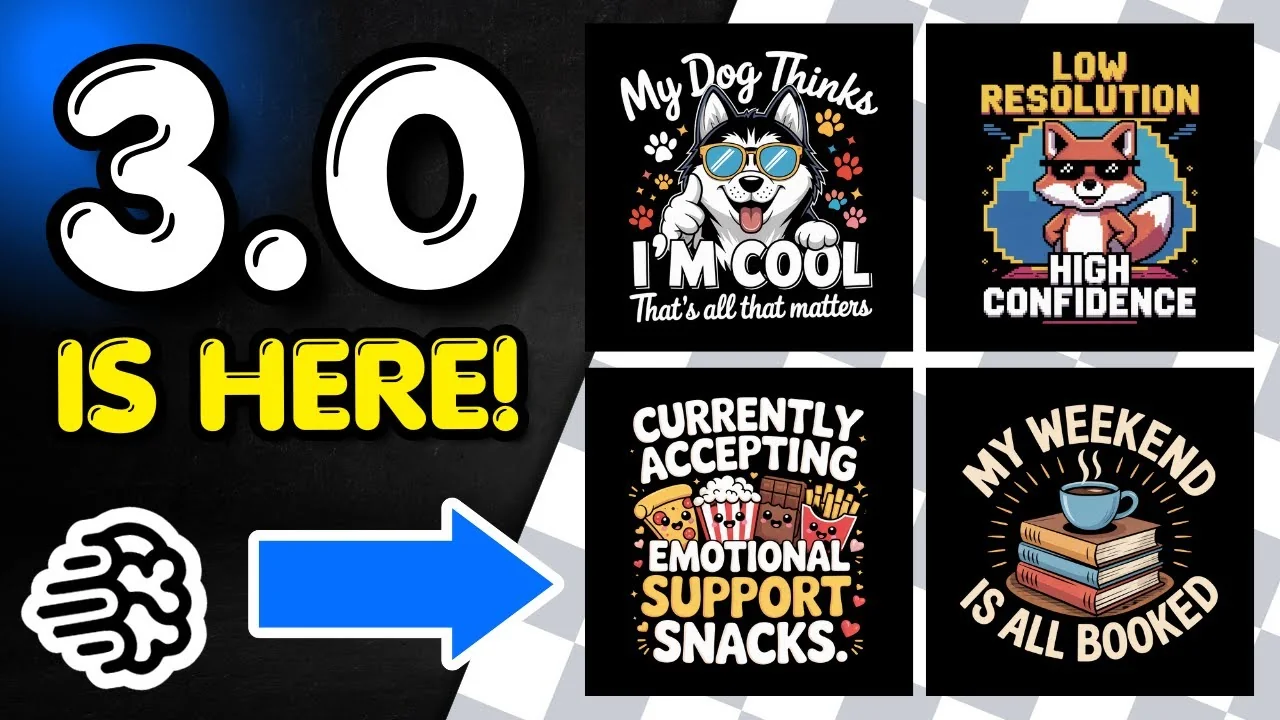
Ideogram 3.0 has just been released and I have been playing around with it creating coloring pages and t-shirt designs. I used some of my old prompts and they turned out absolutely amazing. I’ve also been creating pixelated t-shirt designs, coloring page mandalas, and weed style t-shirt designs. These are the designs I want to share and the updates that stood out for me.

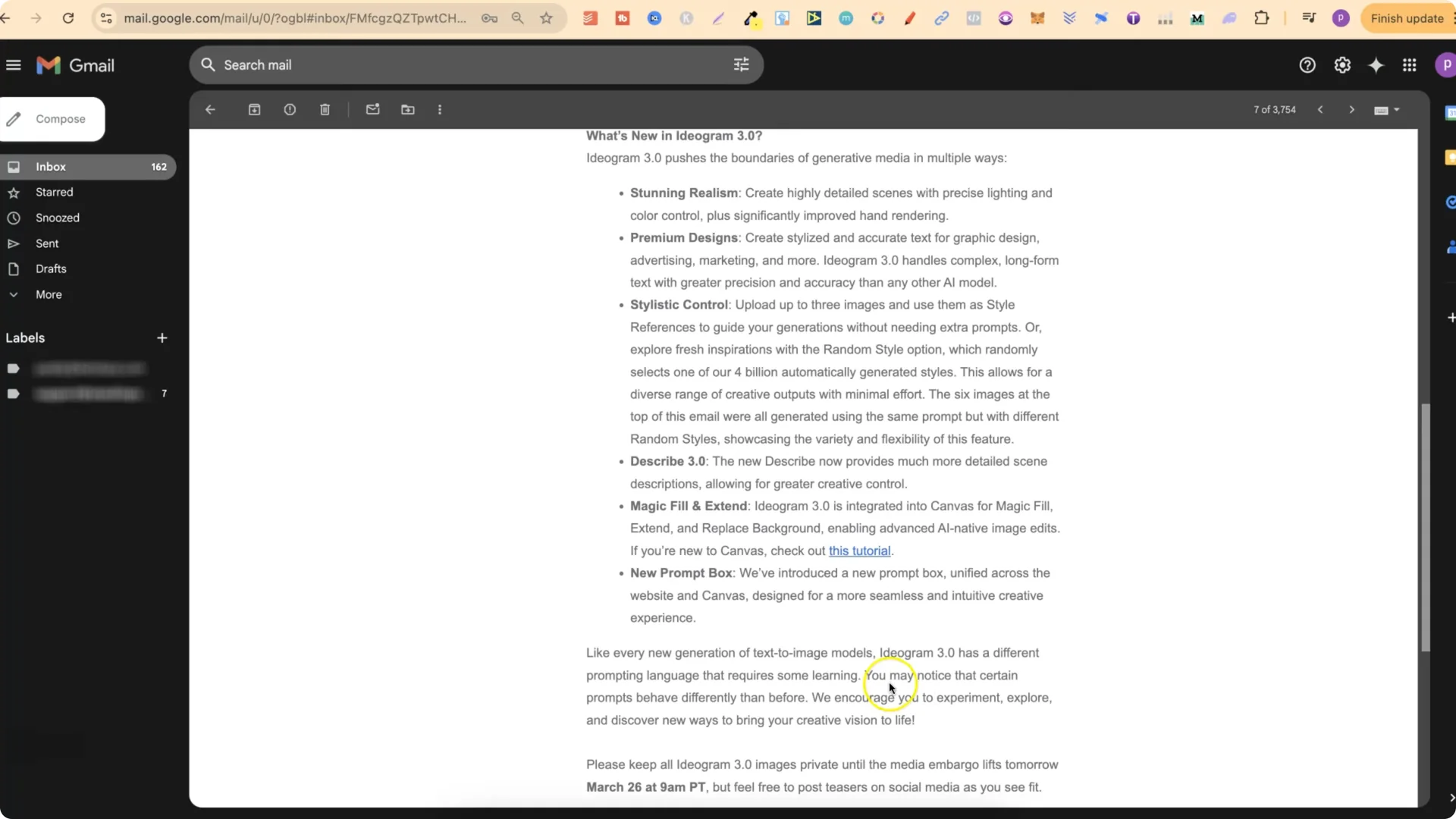
Ideogram AI 3.0 Features: What’s New

  • Stunning realism that creates highly detailed scenes with precise lighting and color control, plus significantly improved hand rendering.
  • Premium designs that create stylized and accurate text for graphic design, which is great for t-shirt designs, advertising, marketing, and more.
  • Much better handling of complex long form text with greater precision and accuracy, which is ideal for t-shirt designs and quote coloring pages.
  • Stylistic control where you can upload up to three images and use them as a style reference to guide your generation without needing extra prompts. I haven’t played around with this yet, but I will over the next few days.
  • A new Describe that provides much more detailed scene descriptions, allowing for greater creative control.
  • Magic Fill and Extend integrated into Canvas for extend and replace background, enabling AI native image edits. This is something I haven’t played around with yet, but I will over the next few days.
  • A new prompt box unified across the website and Canvas, designed for a more intuitive creative experience.
  • Ideogram AI 3.0 Features: Prompting Changes
    Discover What IDEOGRAM 3.0 Brings to AI Design Upgrades screenshot 1

    Like every new generation of text to image models, Ideogram 3.0 has a different prompting language that requires some learning. I have my own custom made GPTs, and I’ve found that the prompts I create still work extremely well with 3.0. You may notice that certain prompts behave differently than before. I encourage you to experiment, explore, and discover new ways to bring your creative vision to life.

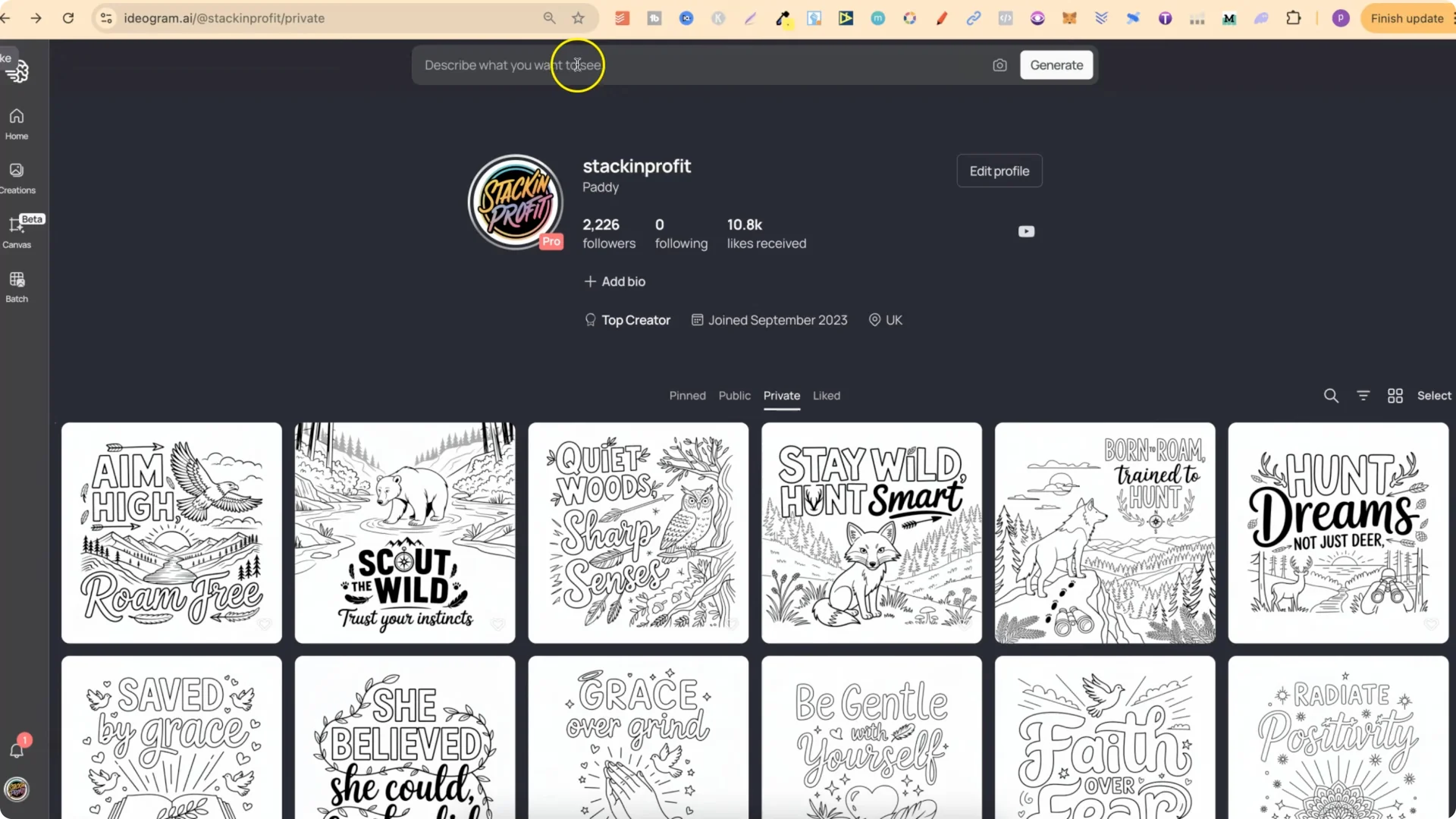
    Ideogram AI 3.0 Features: Describe Box and Prompt Settings
    Discover What IDEOGRAM 3.0 Brings to AI Design Upgrades screenshot 3

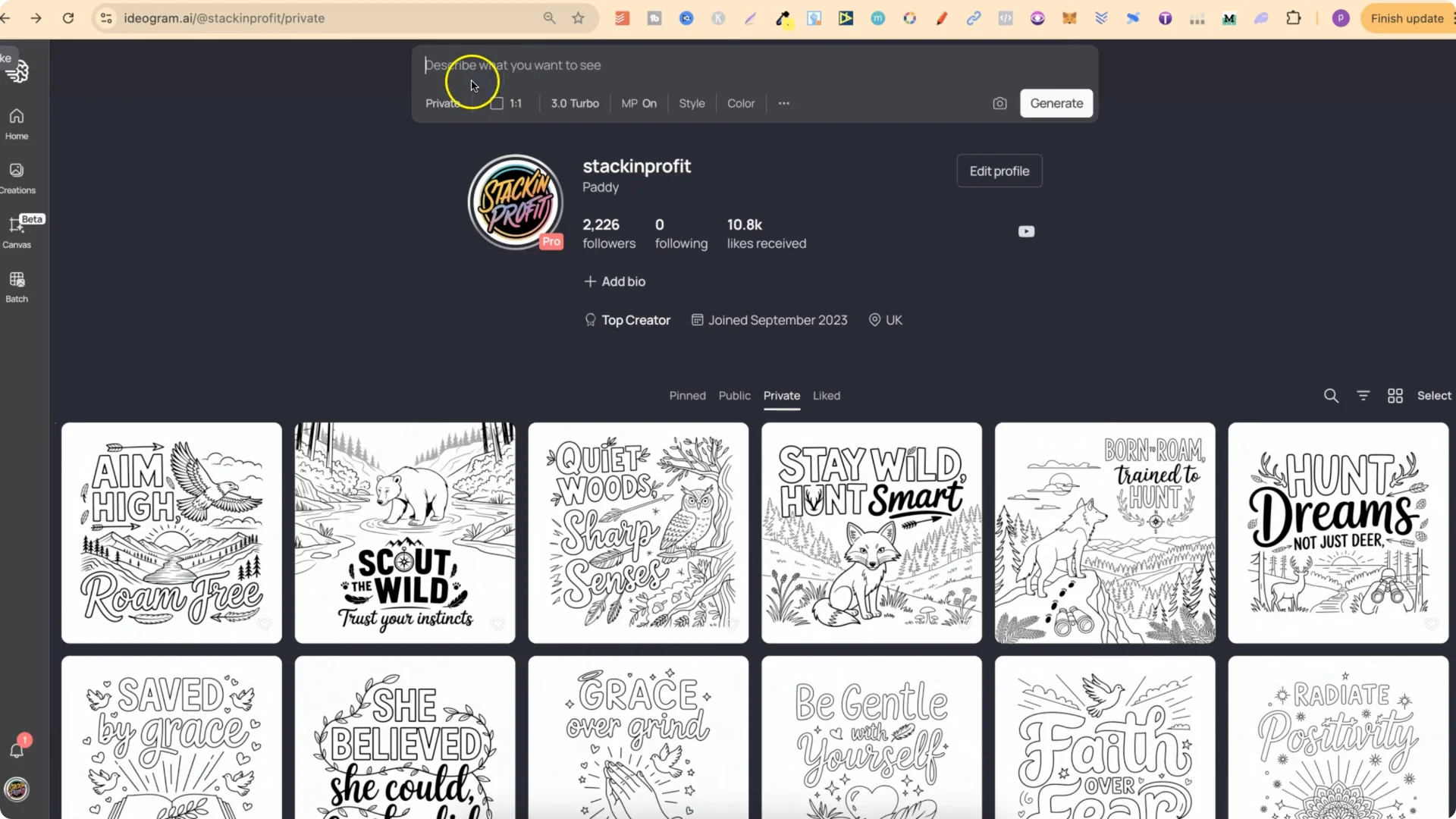
    Here’s how I set up and generate with 3.0:

  • Toggle privacy
  • – You can switch between Private and Public for your generations. I usually keep most of my stuff on Private.
    Discover What IDEOGRAM 3.0 Brings to AI Design Upgrades screenshot 4

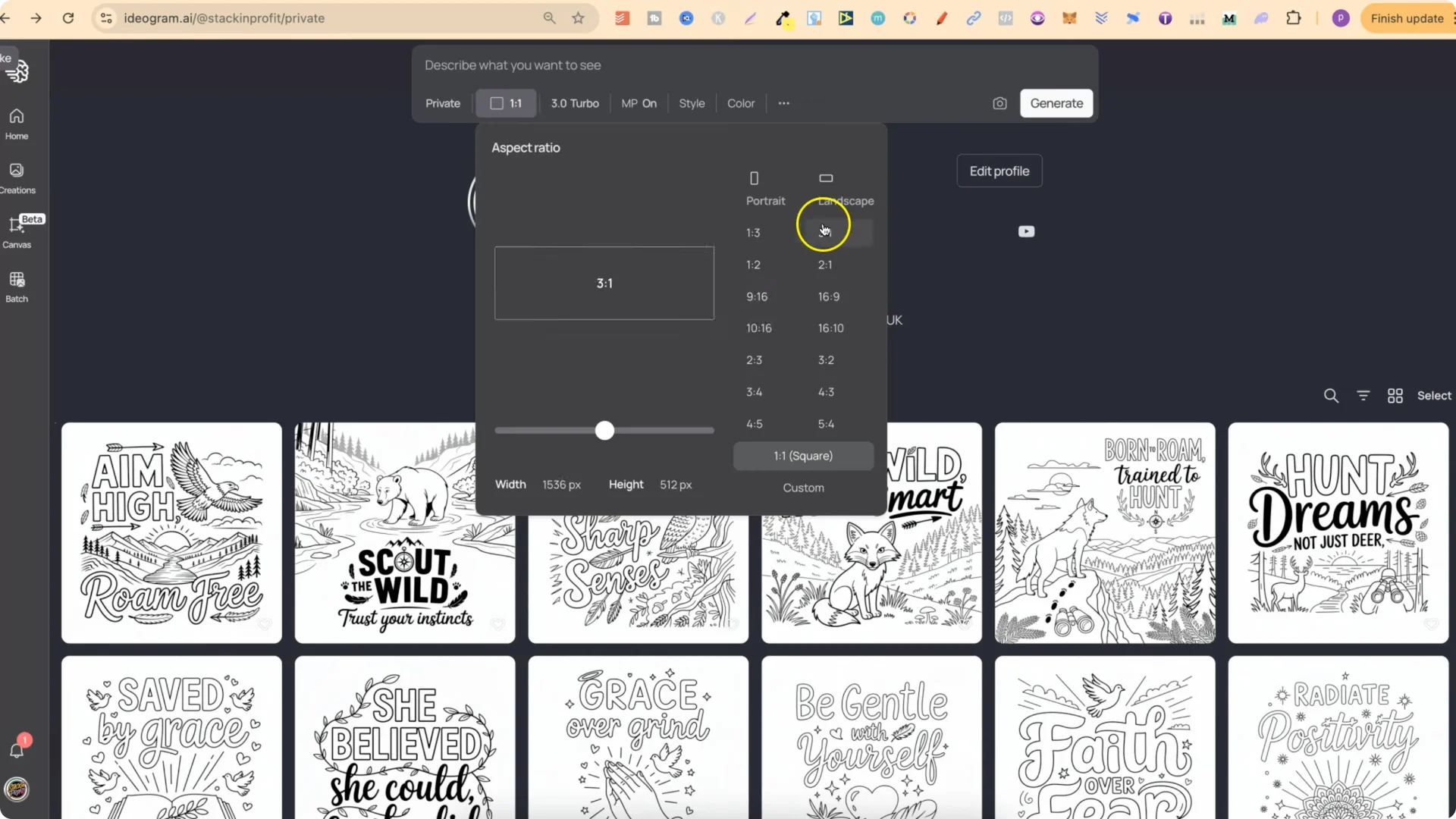
  • Choose aspect ratio
  • – There are multiple aspect options, plus a Custom option if you want a specific size. Portrait is available too.
    Discover What IDEOGRAM 3.0 Brings to AI Design Upgrades screenshot 5

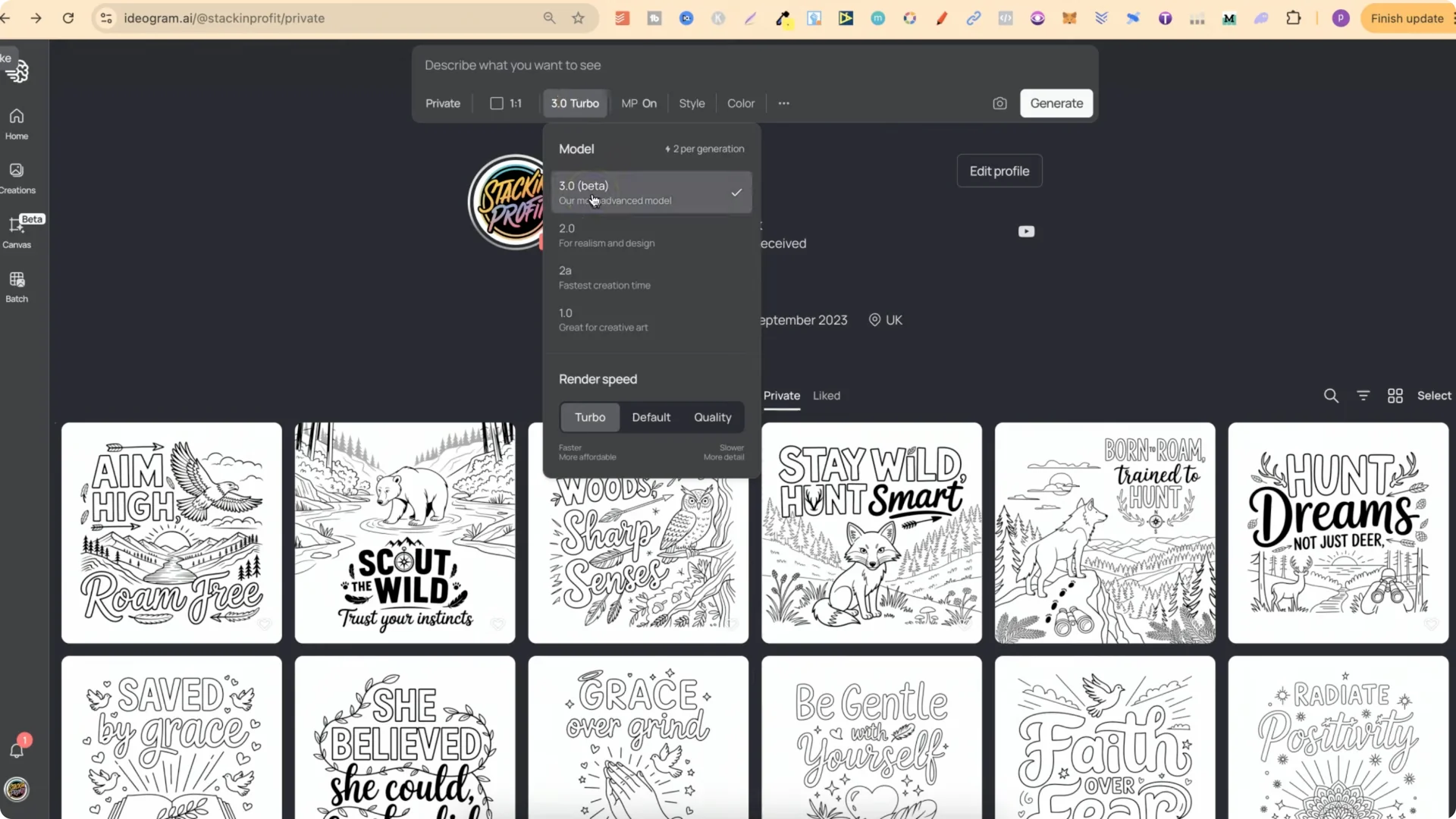
  • Select the model
  • – 3.0 is now available. Turbo uses 2 credits, Default uses 4 credits, and Quality uses 6 credits. For most things, I use Turbo because it’s the cheapest. Older models like 2A use half a credit.
    Discover What IDEOGRAM 3.0 Brings to AI Design Upgrades screenshot 6

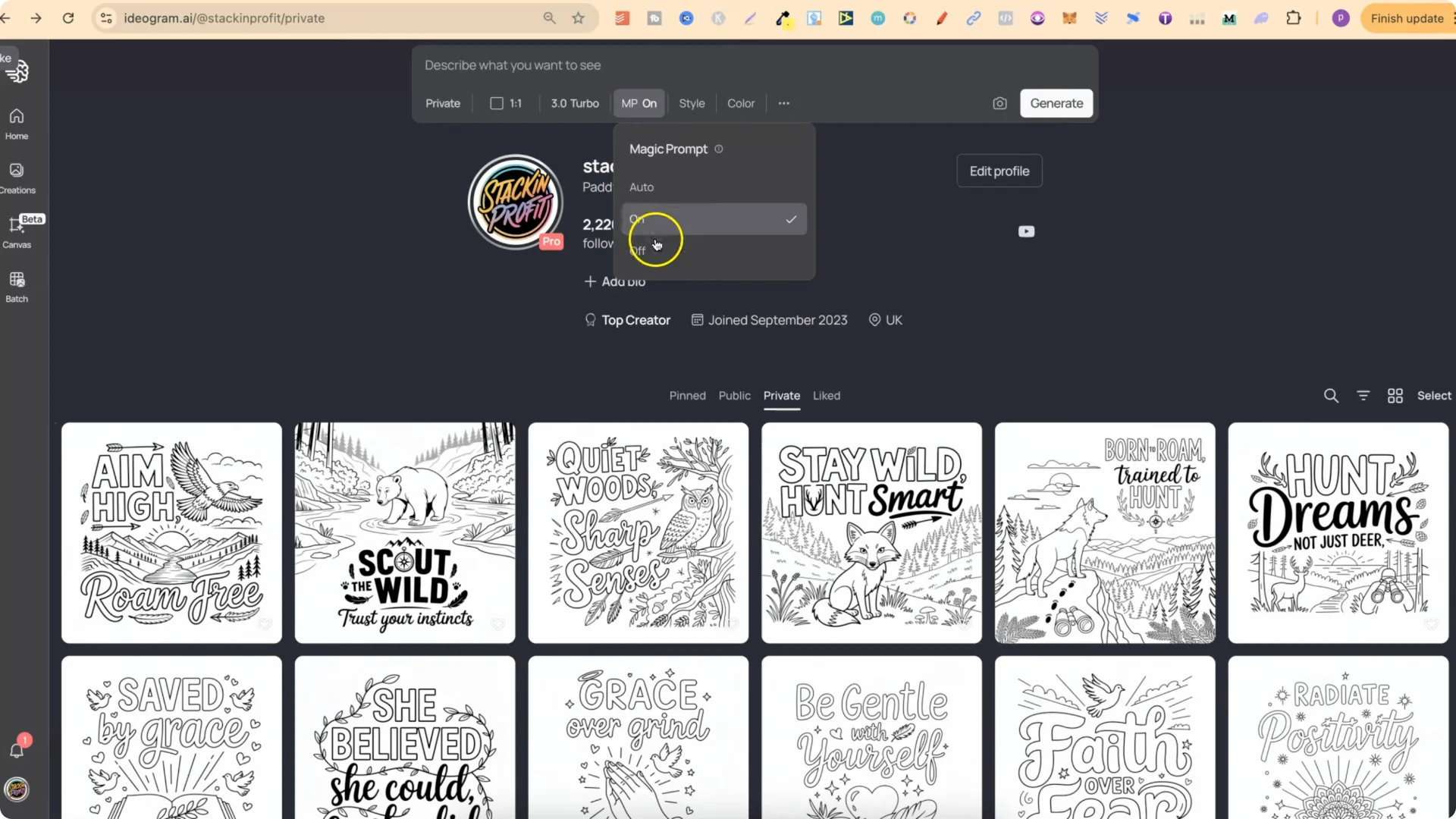
  • Magic Prompt (MP)
  • – MP can be Off or Auto. I keep it on.
    Discover What IDEOGRAM 3.0 Brings to AI Design Upgrades screenshot 7

  • Styles
  • – I use Auto because Ideogram generally understands what I’m trying to do.

  • Color palette
  • – There’s a palette option, but I don’t use it.

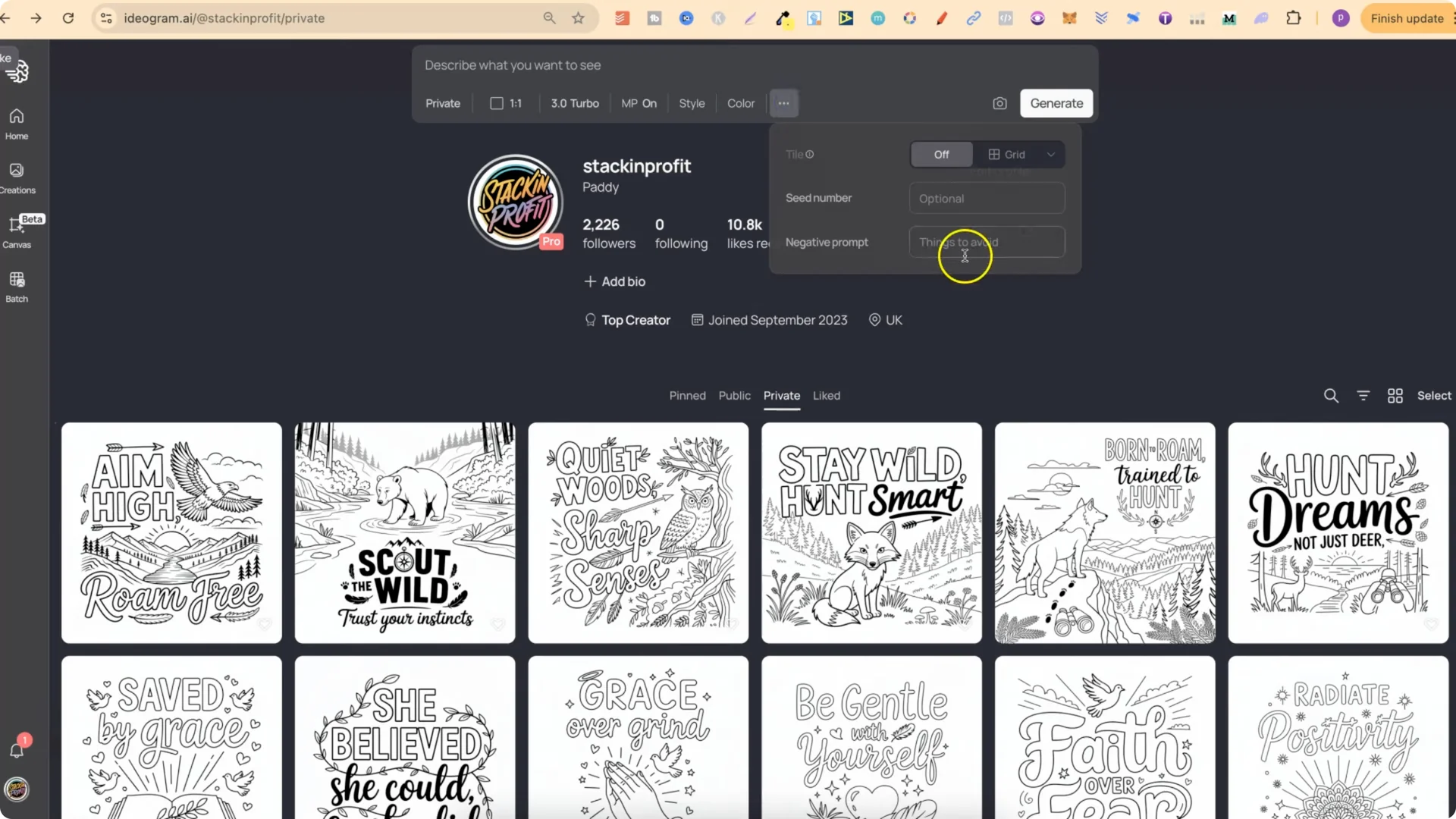
  • More options
  • – Under the three dots, you can add a seed number, negative prompts, and choose the grid On or Off.
    Discover What IDEOGRAM 3.0 Brings to AI Design Upgrades screenshot 8

  • Generate and describe
  • – Use the Generate button to create images. You can also upload images to describe them and build prompts from there.
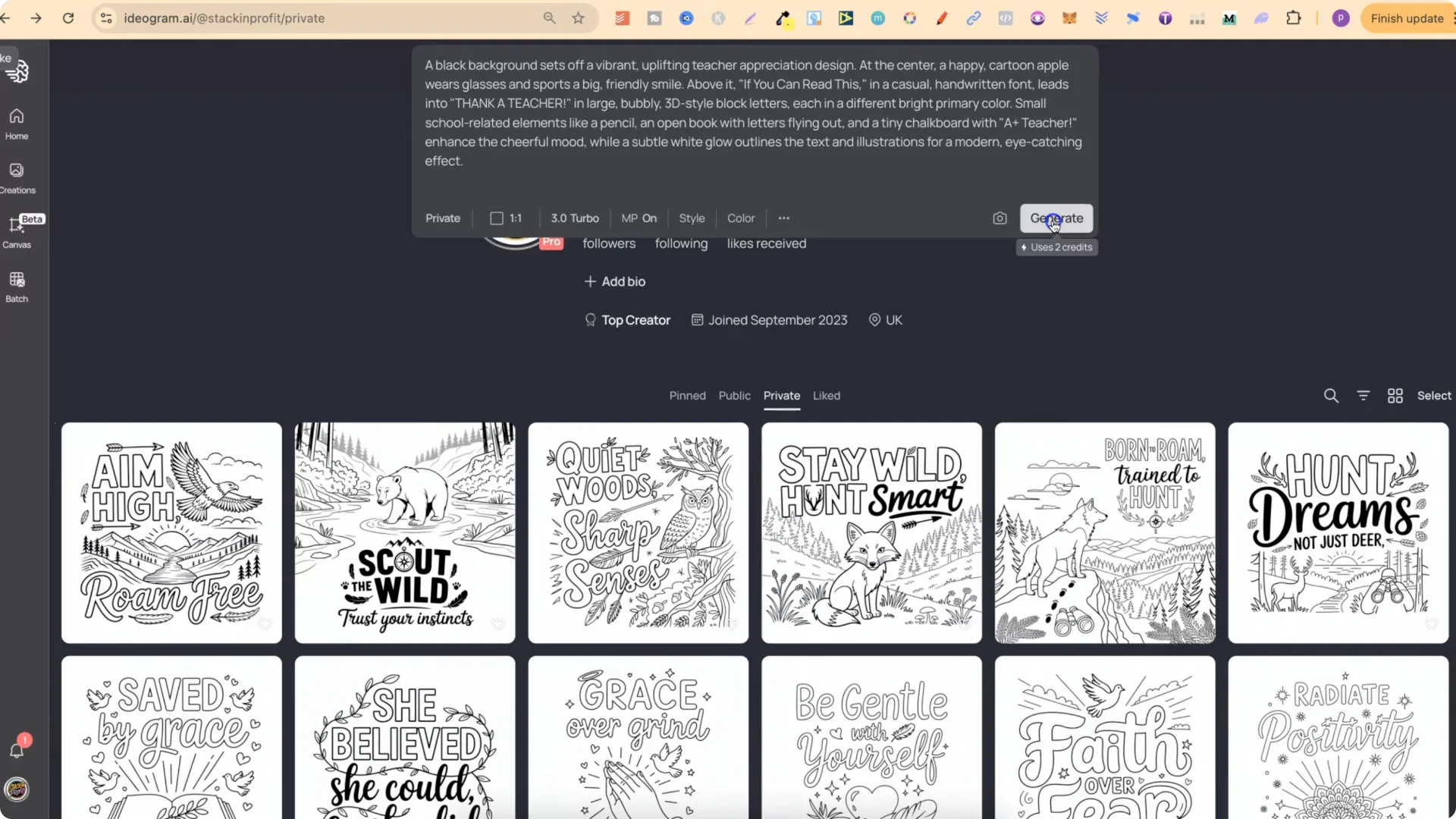
    Discover What IDEOGRAM 3.0 Brings to AI Design Upgrades screenshot 9

    Ideogram AI 3.0 Features: Testing Prompts and Results

    I tested a bunch of prompts, including school themed prompts, and ran them through 3.0 to see how much better they look. I honestly believe they are quite a bit better. A couple of the prompts didn’t turn out great, but the majority did.
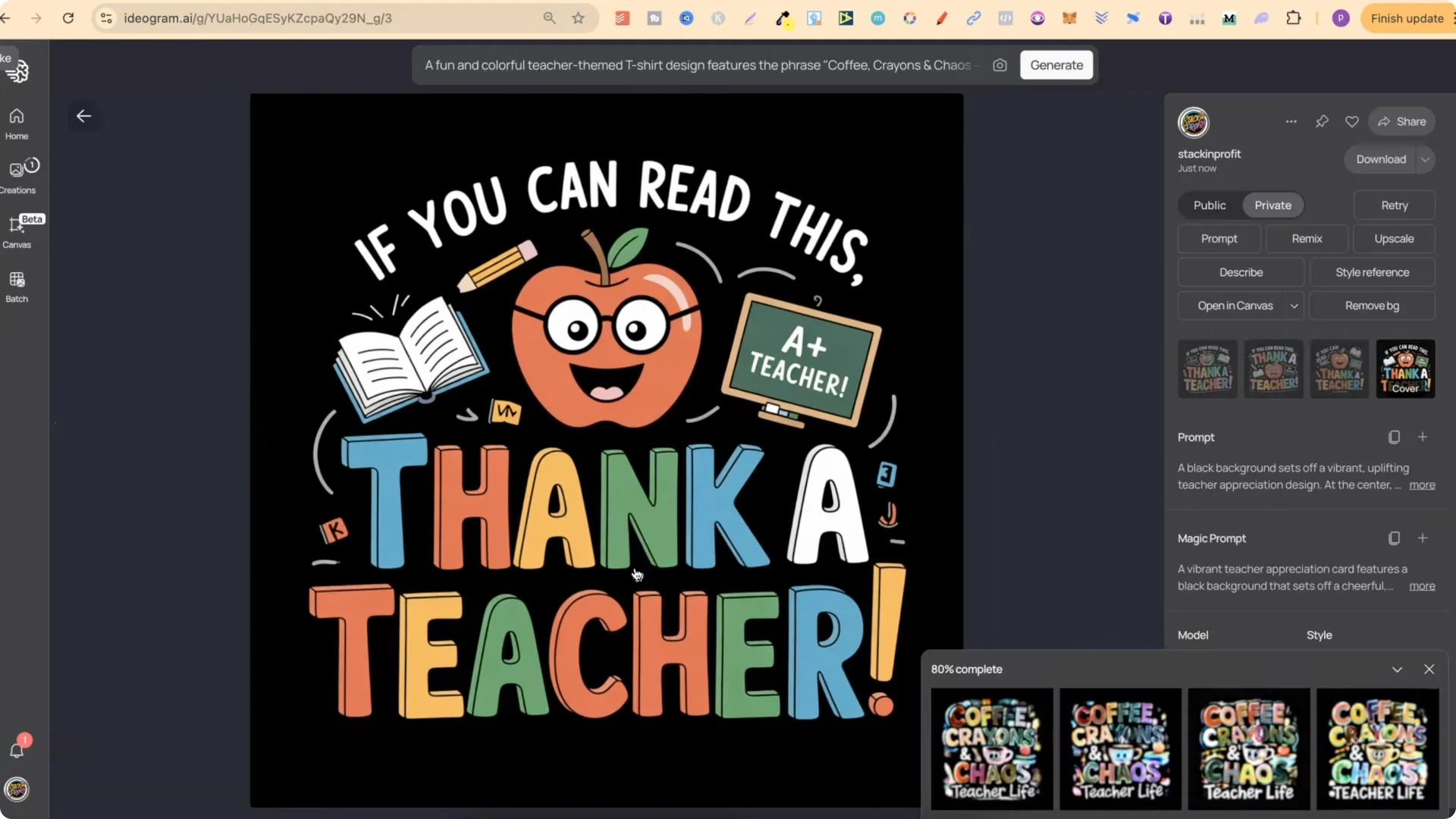
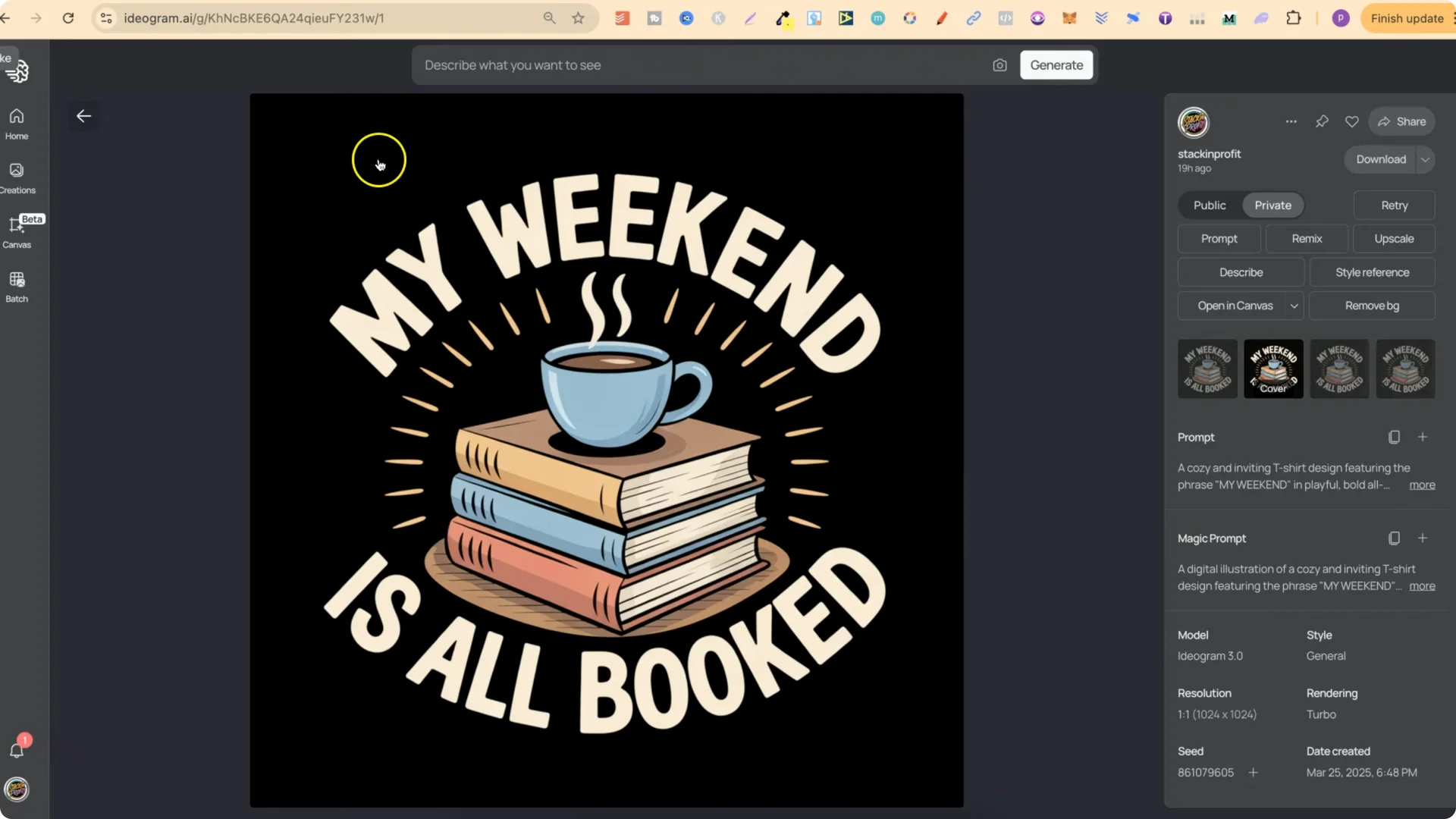
    Discover What IDEOGRAM 3.0 Brings to AI Design Upgrades screenshot 10

  • I really like how clean some designs are now. “My dog thinks I’m cool that’s all that matters” came out great. “My weekend is all booked” with a little stack of books and a cup looks absolutely flawless.
  • Pixelated designs also look better. For a pixelated design using low resolution high confidence, the result looked amazing.
  • Comparing old vs new generations with the same prompts, I see a consistent bump in quality. There are still occasional mistakes, like an extra mouth on a character, but many results look amazing.
  • 3.0 can handle more words in a design. For example, “coffee crayons and chaos teach life” produced multiple usable versions. One had a small mistake that could be easily edited out, but another was the best of the four and ready to go.
  • Discover What IDEOGRAM 3.0 Brings to AI Design Upgrades screenshot 2

    Ideogram AI 3.0 Features: Use Cases I’m Exploring

    I’m going to be using 3.0 for:

  • Coloring pages
  • T-shirt designs
  • Stickers
  • Kids storybook covers
  • I tested designs like “Stone Cold Fox” and they look awesome. 3.0 is definitely an improvement. What I suggest doing is turning 3.0 on and playing around with a bunch of prompts to see what you think.

    Final Thoughts on Ideogram AI 3.0 Features

    Ideogram 3.0 improves text accuracy, scene detail, and overall design quality. The new Describe, Magic Fill and Extend in Canvas, better handling of long text, and improved hand rendering all make a noticeable difference. There are still occasional mistakes, but most generations look cleaner and more accurate. For coloring pages, t-shirts, stickers, and storybook covers, 3.0 delivers stronger results and more control.