Top IDEOGRAM AI Prompts for St. Patrick’s Day Prints

I have a bunch of St Patrick’s Day SL designs and prompts to share. St Patrick’s Day is on the 17th of March, so January is the perfect time to start creating. I’ll also give some dos and don’ts for getting the best results with these prompts.

Ideogram AI St. Patrick’s Prompts: Do’s and Don’ts
  • Do use the prompt as-is first, with no remix, to see what you get.
  • Do add your own quote to make the output more unique.
  • Don’t click into a design and use Remix – that will produce the exact same design. If everyone does that, you’ll all end up with the same results.
  • Do keep your designs unique by editing the prompt text, especially the quote line.
  • Top IDEOGRAM AI Prompts for St. Patrick’s Day Prints screenshot 1

    Ideogram AI St. Patrick’s Prompts: Examples and Style Notes

    These turned out really nice. Some examples:
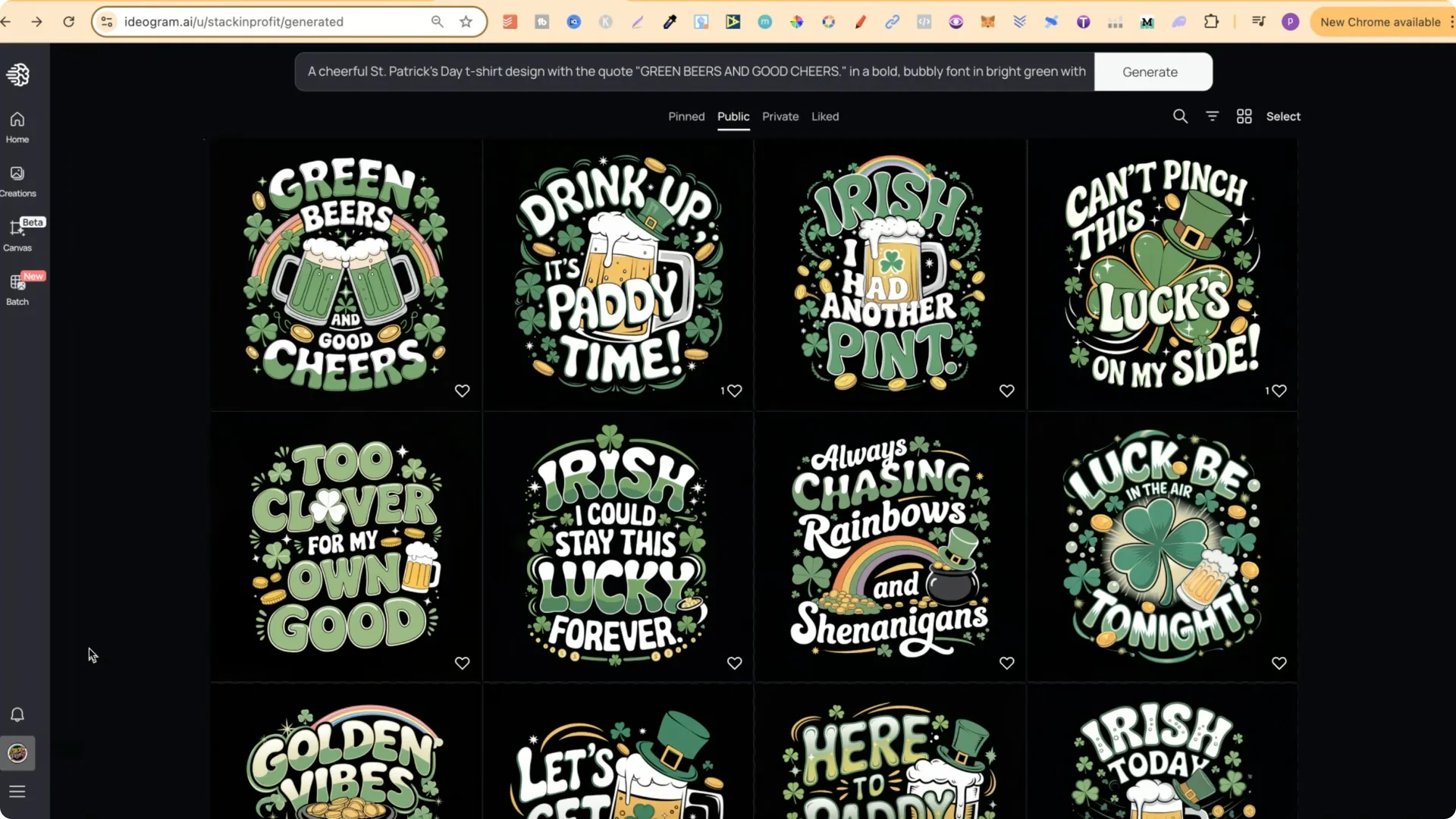
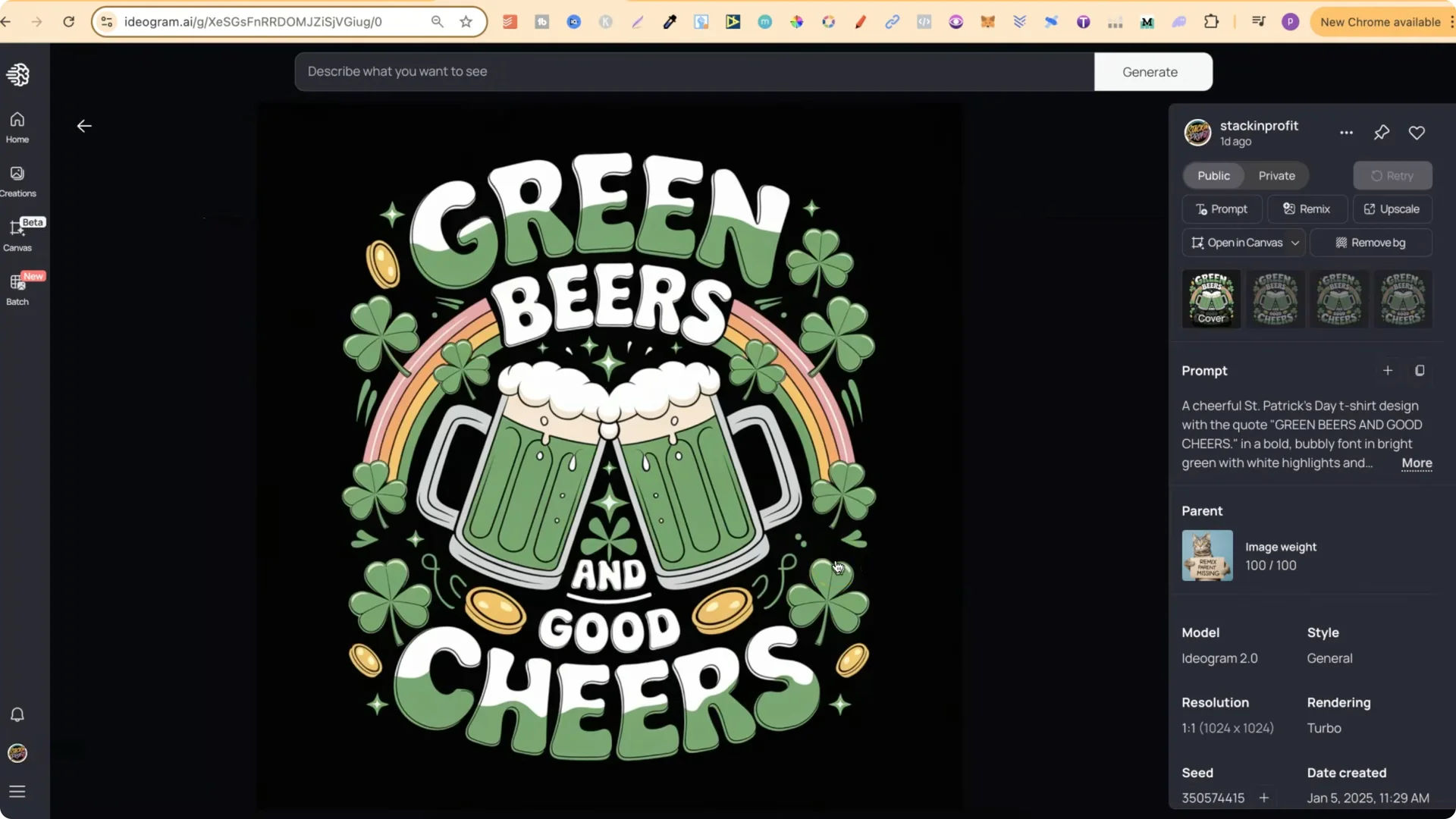
  • Green beers and good cheers
  • Drink up its Patty time
  • Luck Be In the Air Tonight
  • I wish I could stay this lucky forever
  • Let’s get shamrocked
  • Here to Paddy hard
  • Irish today hung over tomorrow
  • Kiss me I’m tipsy and Irish enough
  • Sham rocked and rolling
  • Irish you a lucky day
  • Shake your Shamrocks
  • Top IDEOGRAM AI Prompts for St. Patrick’s Day Prints screenshot 2

    Most designs share a similar style and color palette focused on green, which fits St Patrick’s Day. I also tried adding a little pink in one design and it turned out pretty good.
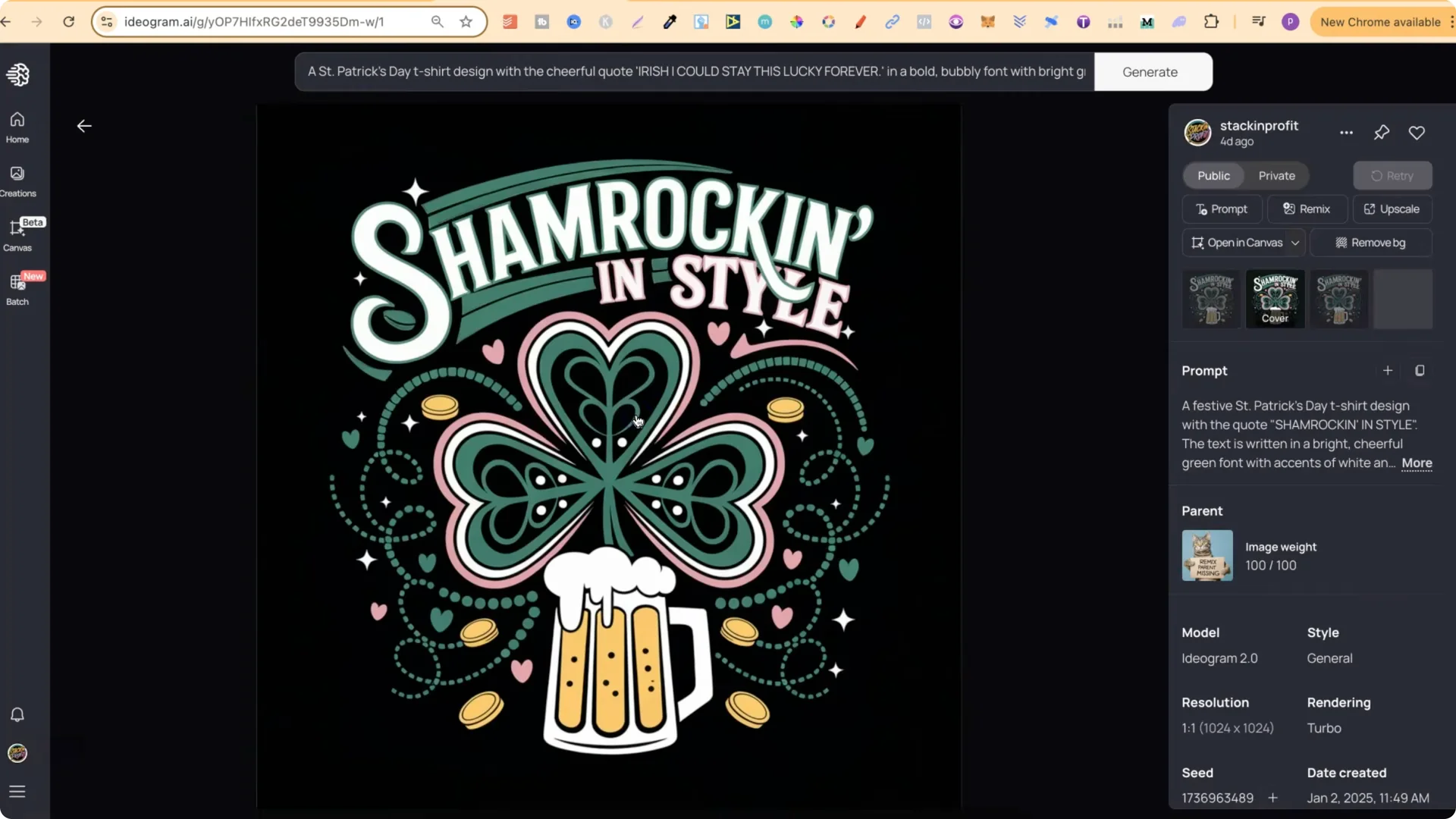
    Top IDEOGRAM AI Prompts for St. Patrick’s Day Prints screenshot 3

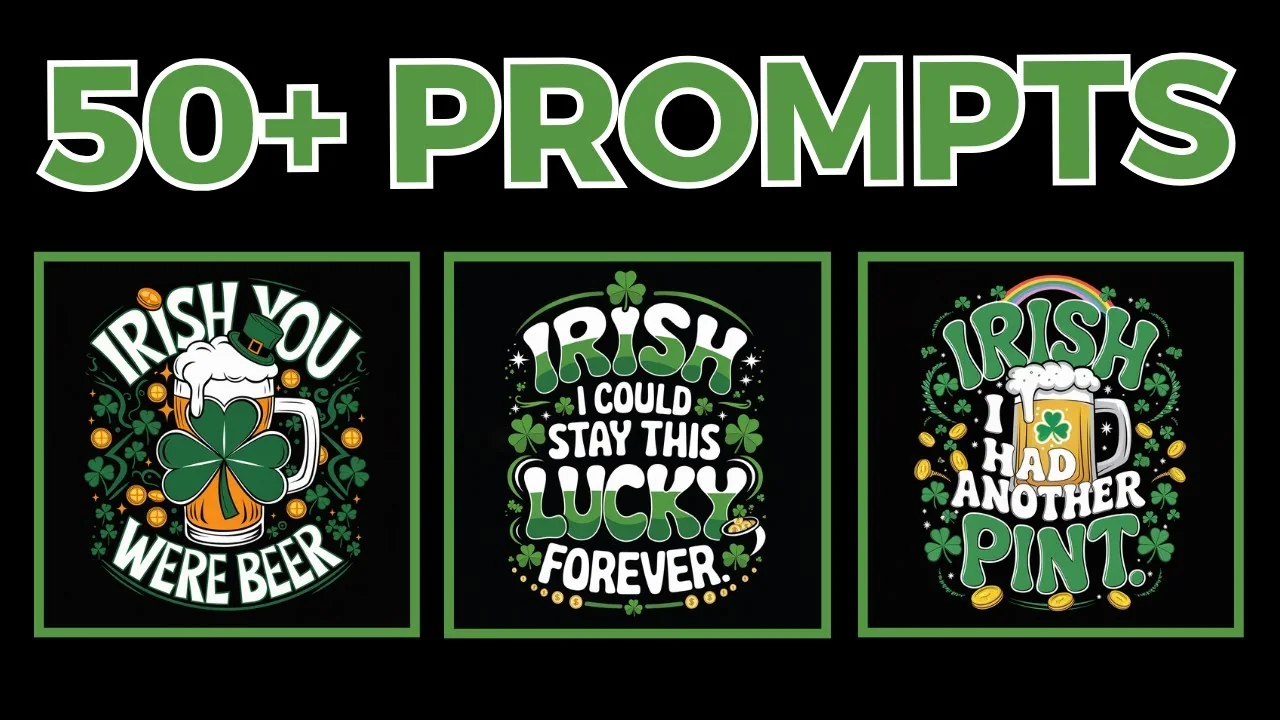
    There are over 50 designs. Each prompt can be edited easily by swapping the quote line to something you prefer. Avoid remixing so you don’t recreate the exact same layout as everyone else.

    Ideogram AI St. Patrick’s Prompts: How I Generated These

    I created all of these with my custom prompt generators, which are part of my Ideo Mastery course. One of the GPTs looks like this, and it’s what I used to create the designs.
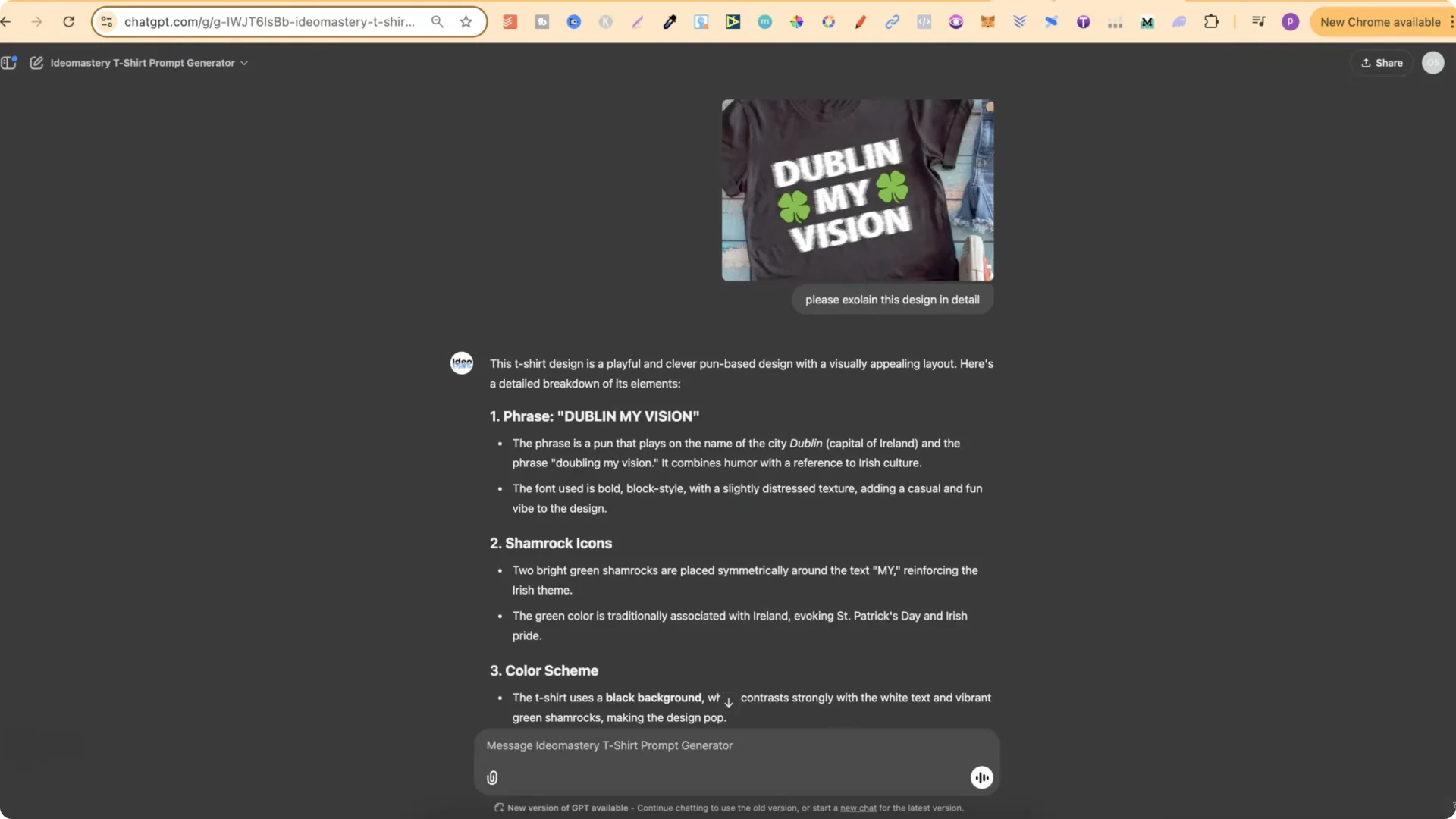
    Top IDEOGRAM AI Prompts for St. Patrick’s Day Prints screenshot 4

    Describe example designs, then ask for a prompt
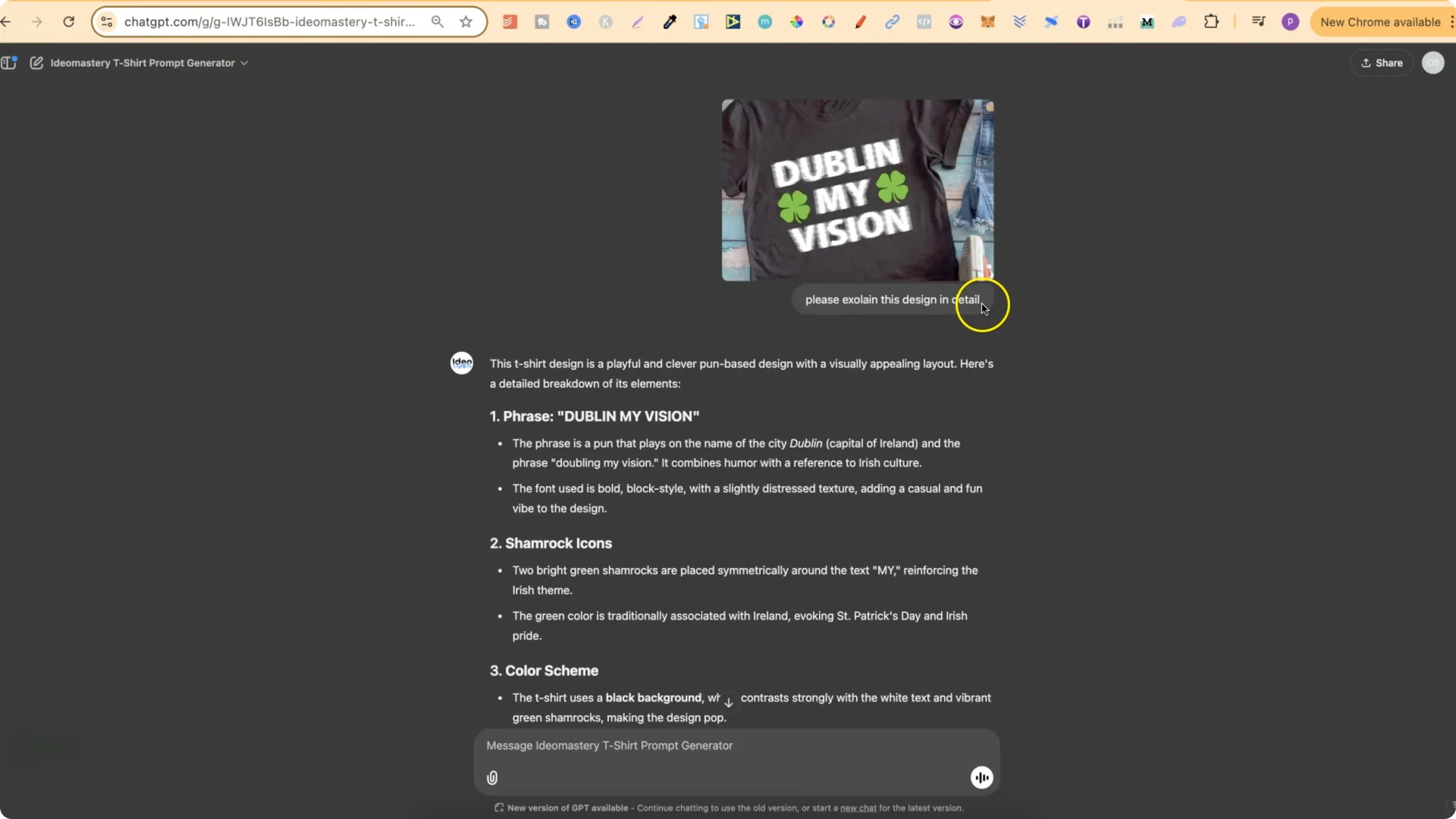
  • I found a few reference designs and uploaded them to my t-shirt prompt generator GPT.
  • I asked it to explain each design in detail.
  • From that detailed description, I asked it to create a prompt.
  • I repeated this for a few designs so the GPT understood the design style I wanted.
  • Top IDEOGRAM AI Prompts for St. Patrick’s Day Prints screenshot 5

    Iterate on quotes

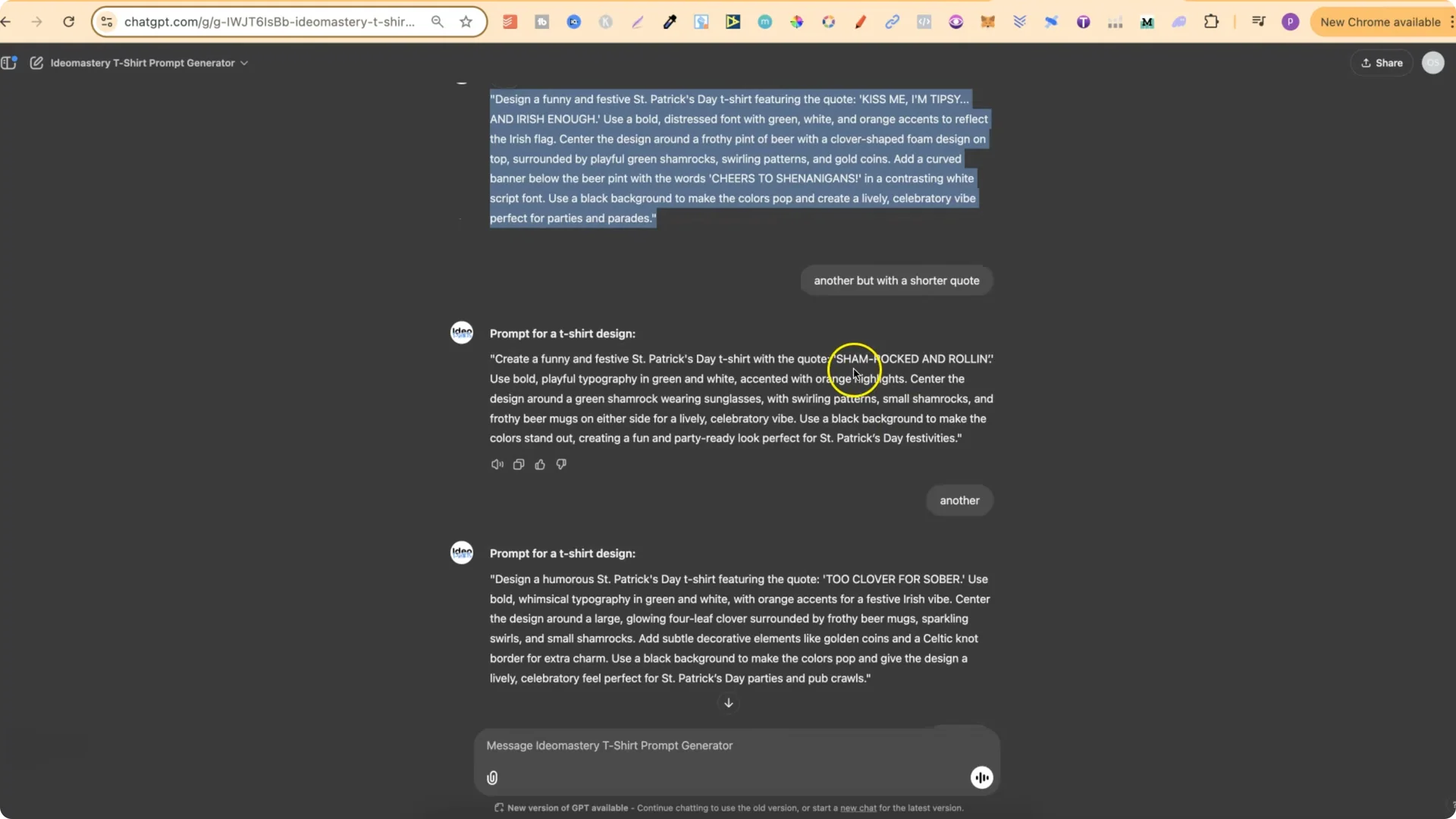
  • After gathering descriptions and prompts, I asked for a brand new prompt with a brand new St Patrick’s Day quote that was funny and unique.
  • It gave me “Kiss me I’m tipsy and Irish enough.” That felt a little long, so I asked for another with a shorter quote and got “Sham rocked and rolling.”
  • I kept asking for another and another and generated a batch of new prompts.
  • Top IDEOGRAM AI Prompts for St. Patrick’s Day Prints screenshot 6

    Add a pun generator and check trademarks

  • I used Pun Innovator by Merch Momentum to get unique and funny puns or quotes for St Patrick’s Day.
  • I always check for trademarks when using puns or quotes, and you should too.
  • I fed selected quotes back into my generator to create prompts around them, for example:
  • – “Irish you a lucky day”
    – “Shake your Shamrocks”
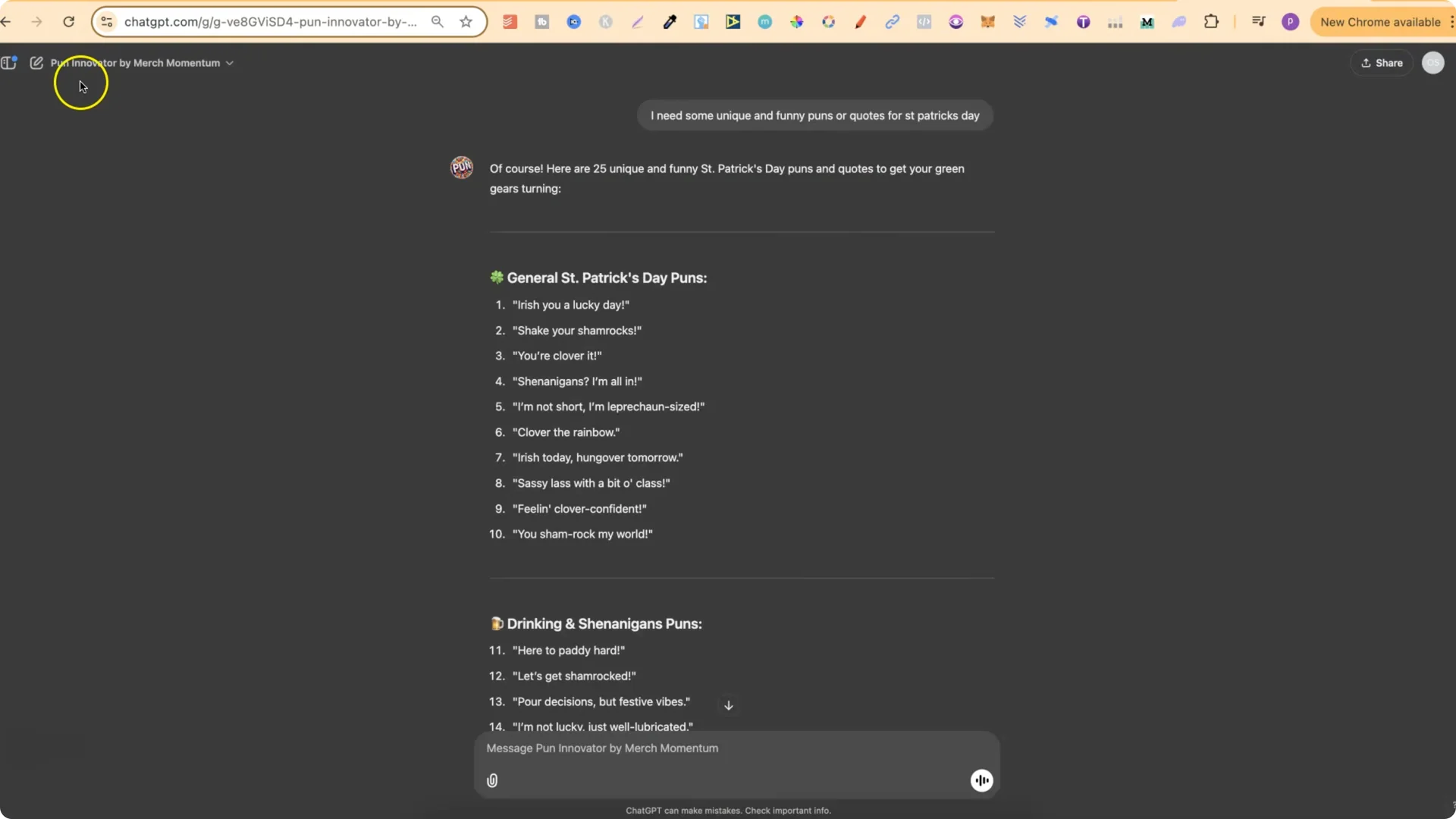
  • My generator can create puns and quotes for you, or you can use quotes gathered from elsewhere.
  • Top IDEOGRAM AI Prompts for St. Patrick’s Day Prints screenshot 7

    Ideogram AI St. Patrick’s Prompts: How to Use These Prompts

    Follow this process to get results in the same style while making your outputs unique:

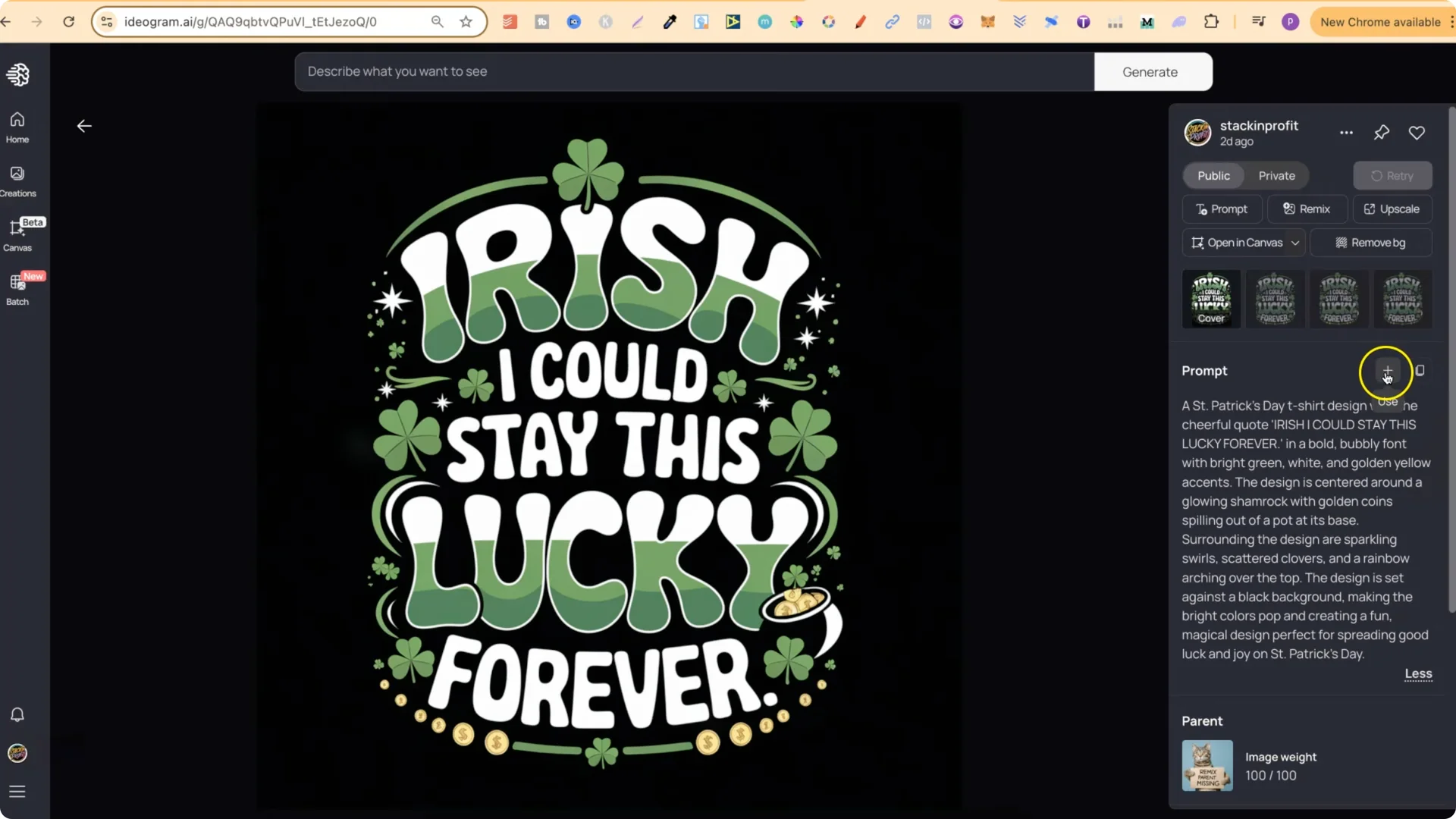
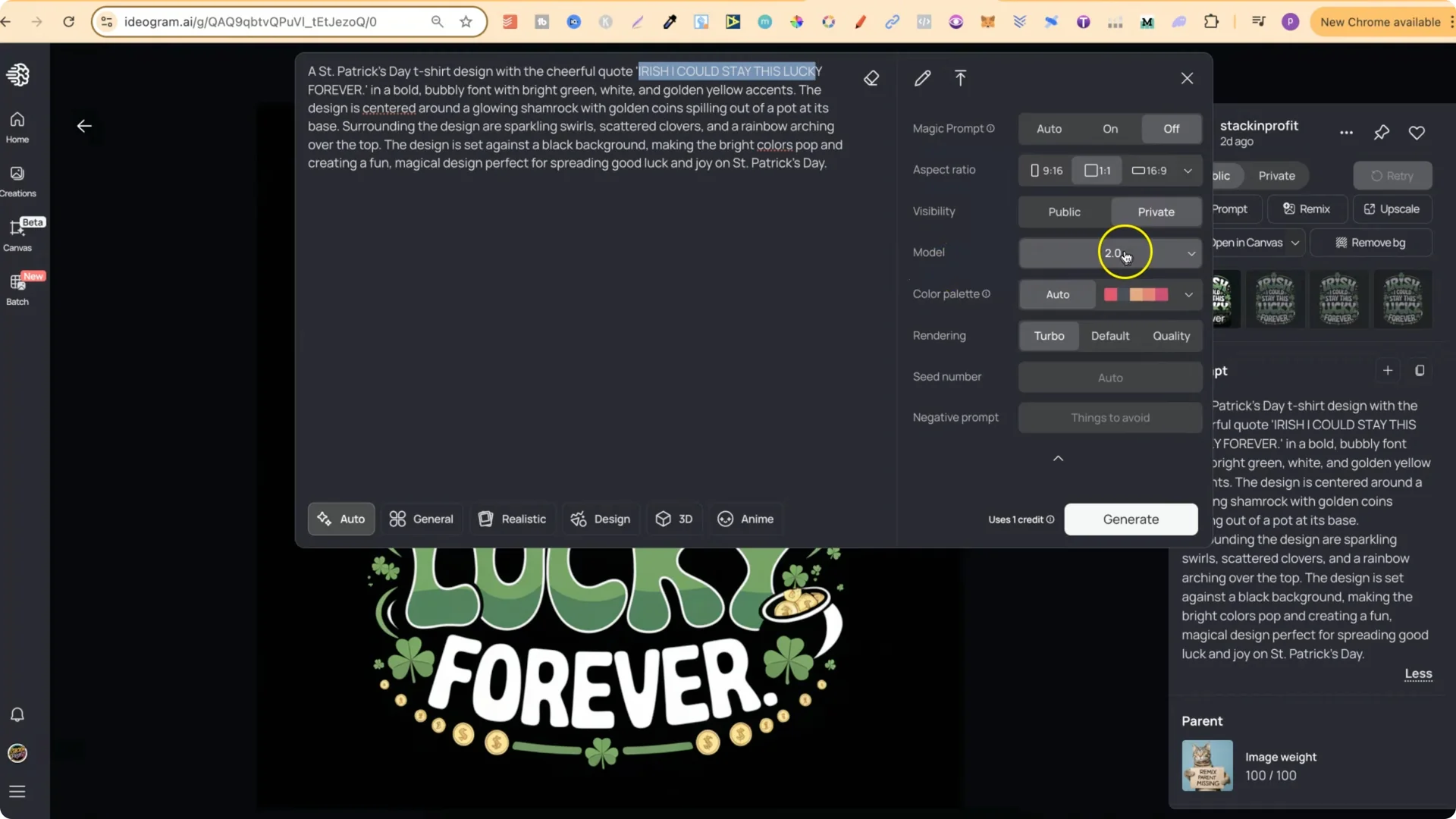
    1. Find a design you like from my public profile and open it.
    2. Copy the prompt and add it to your workspace using the plus icon.
    3. Edit the prompt by replacing the quote line with your own text.
    4. Set your Model to 2.0.
    5. Set Rendering to Turbo.
    – Turbo costs 1 credit.
    – Default costs 2 credits.
    6. Click Generate.
    Top IDEOGRAM AI Prompts for St. Patrick’s Day Prints screenshot 9

    Top IDEOGRAM AI Prompts for St. Patrick’s Day Prints screenshot 8

    You’ll get a very similar style without cloning the exact same composition. Again, do not remix – use the prompt directly and edit the quote for uniqueness.

    Final Thoughts

    Start creating St Patrick’s Day designs in January so you’re ready for March. Use the prompts directly, swap in your own quotes, and keep your settings on Model 2.0 with Turbo rendering for the best balance of quality and cost. Always check trademarks on puns and phrases, and focus on making each design uniquely yours.