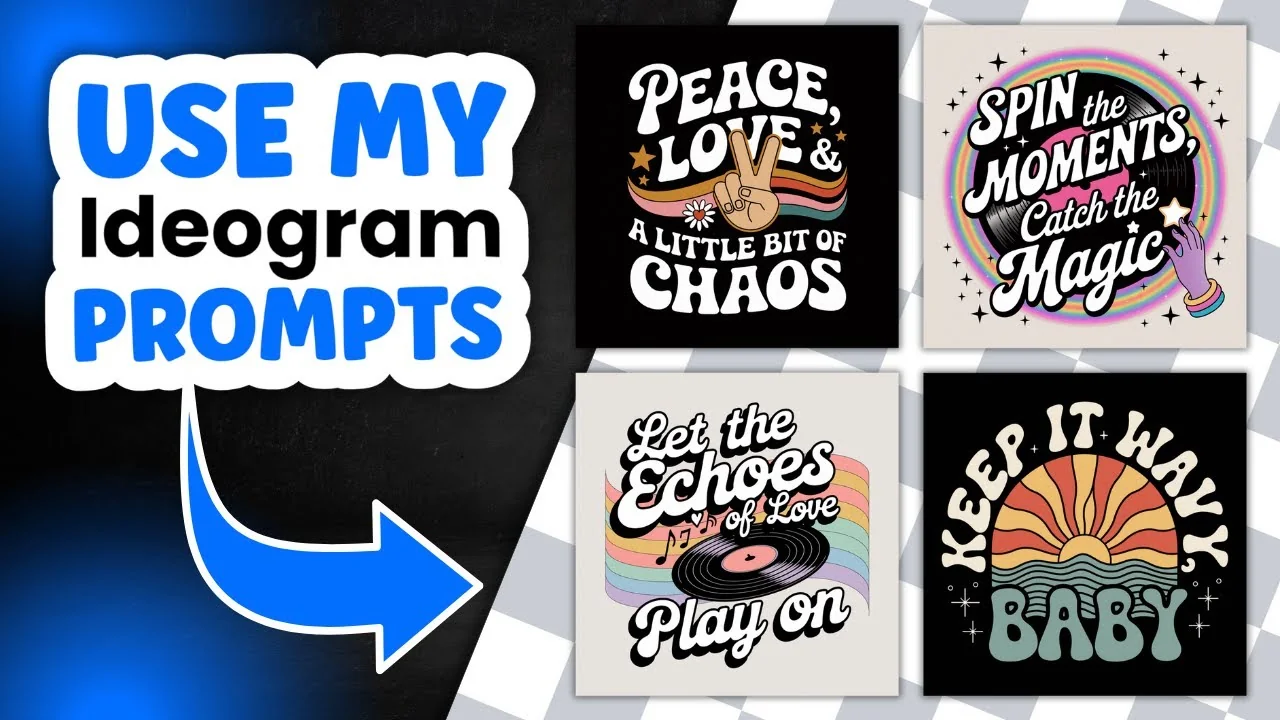
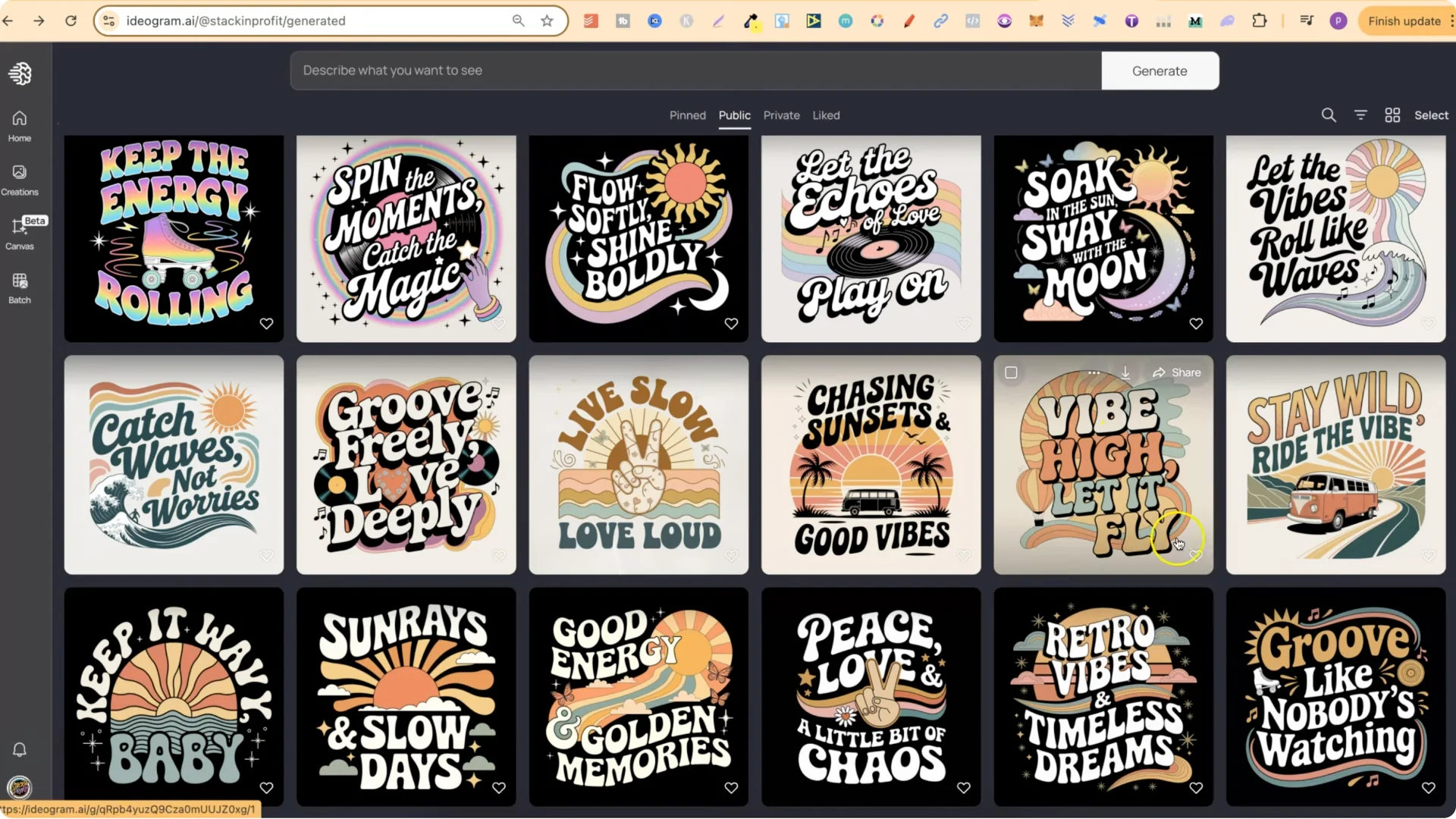
I was playing around in Ideogram creating retro groovy style designs and I thought I’d share them so you can do whatever you want with them. I’ve put them on my public profile. You’ll find lots of prompts you can adjust and change. You might have to scroll because I have a lot of different designs for lots of different things, but I’ve added these too and they look really good.
I’ll also show how to quickly edit these so you can get fresh designs for your own needs. I have a 100 idog quote graphic t-shirt prompts freebie with lots of different niches.
Ideogram AI T-Shirt Design: Retro Groovy Style Collection
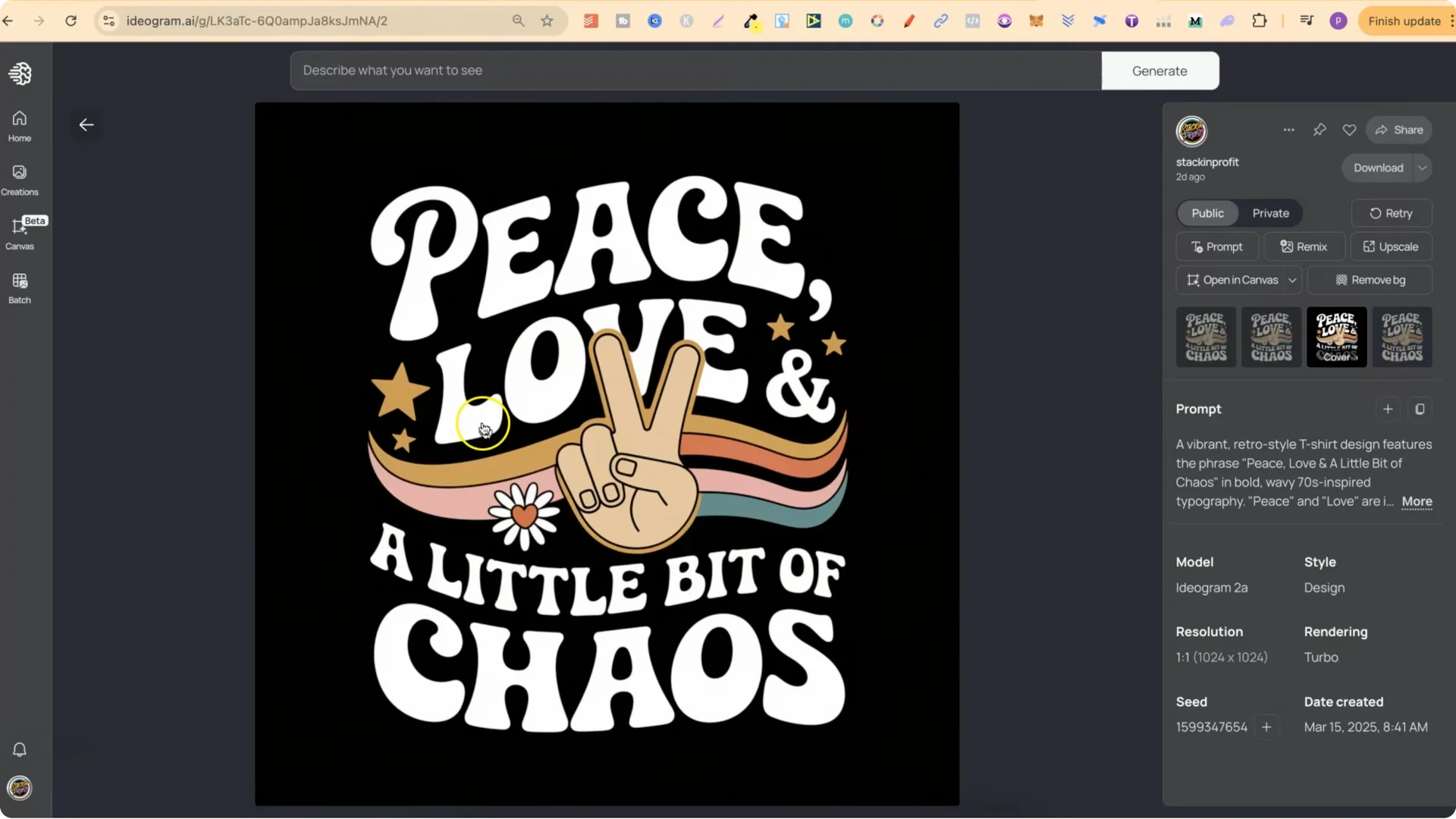
I really liked how these turned out. I was playing around with different color combinations and the gradients on the font. I like the ones with the black background, especially Peace, Love, and a Little Bit of Chaos. These are easy to edit and I’ll show you that in a second.
Ideogram AI T-Shirt Design: How I Created These Designs With My GPT Prompt Generator
I used one of my new prompt generators inside Ideo Mastery. I was looking to see if I could find a design I liked and try to replicate that. I found a design, plugged it into my GPT, and asked for a design concept for a retro groovy style shirt.
With my prompt generator you can come up with niches, lots of different puns and quotes, then get design concepts around those quotes, and then ask for a prompt based on that design concept. For this, I wanted a single design concept I could base all future prompts on.
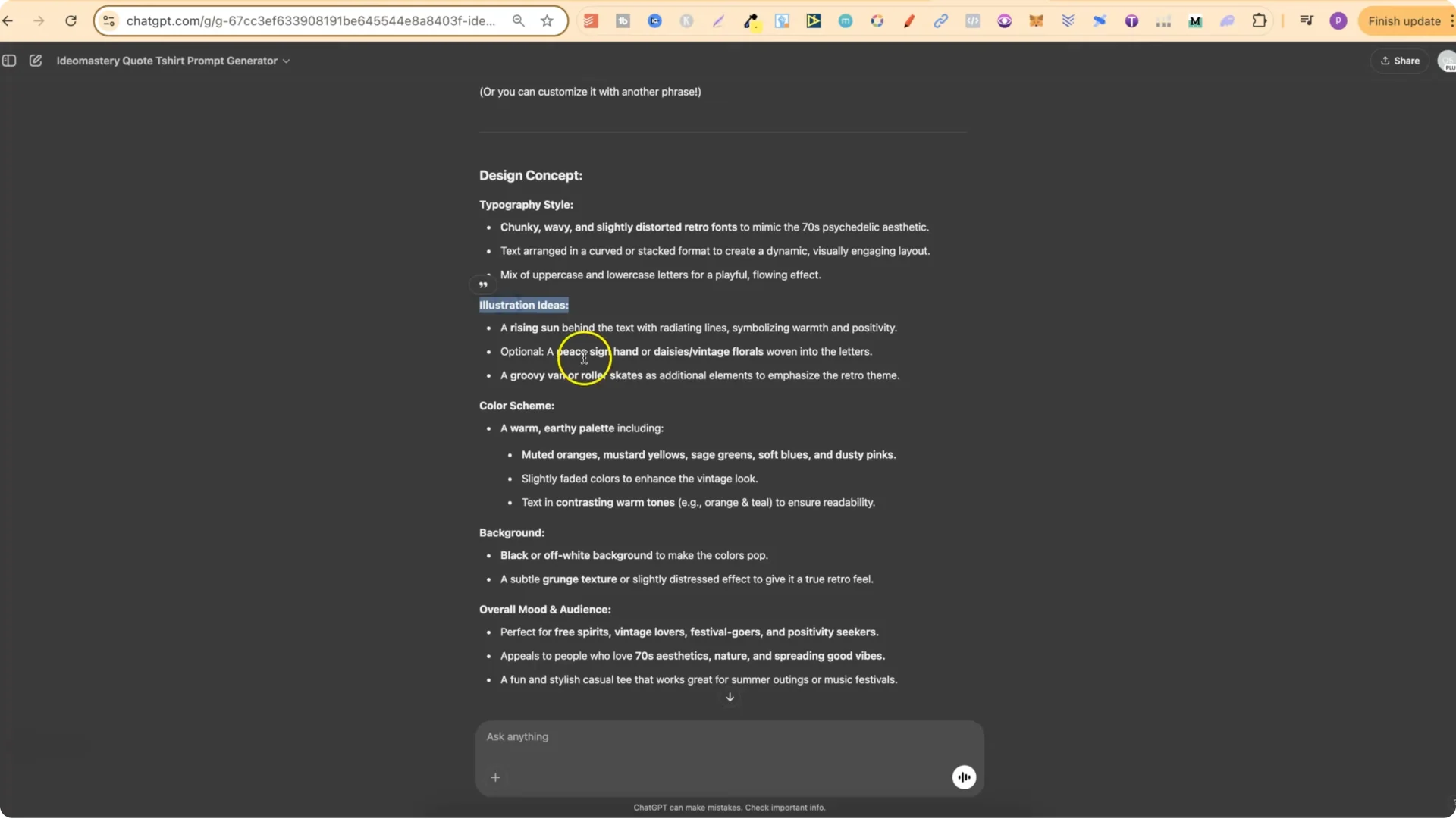
I used this concept as a base for future prompts. First I wanted more quotes, so I asked for 10 quotes for this style and it gave me a bunch. I like to go deeper to make sure the quotes are very unique, so I asked for more similar to Retro Vibes and Timeless Dreams and to make them unique. I did the same for Stay Trippy Little Hippie and gathered a few more ideas.
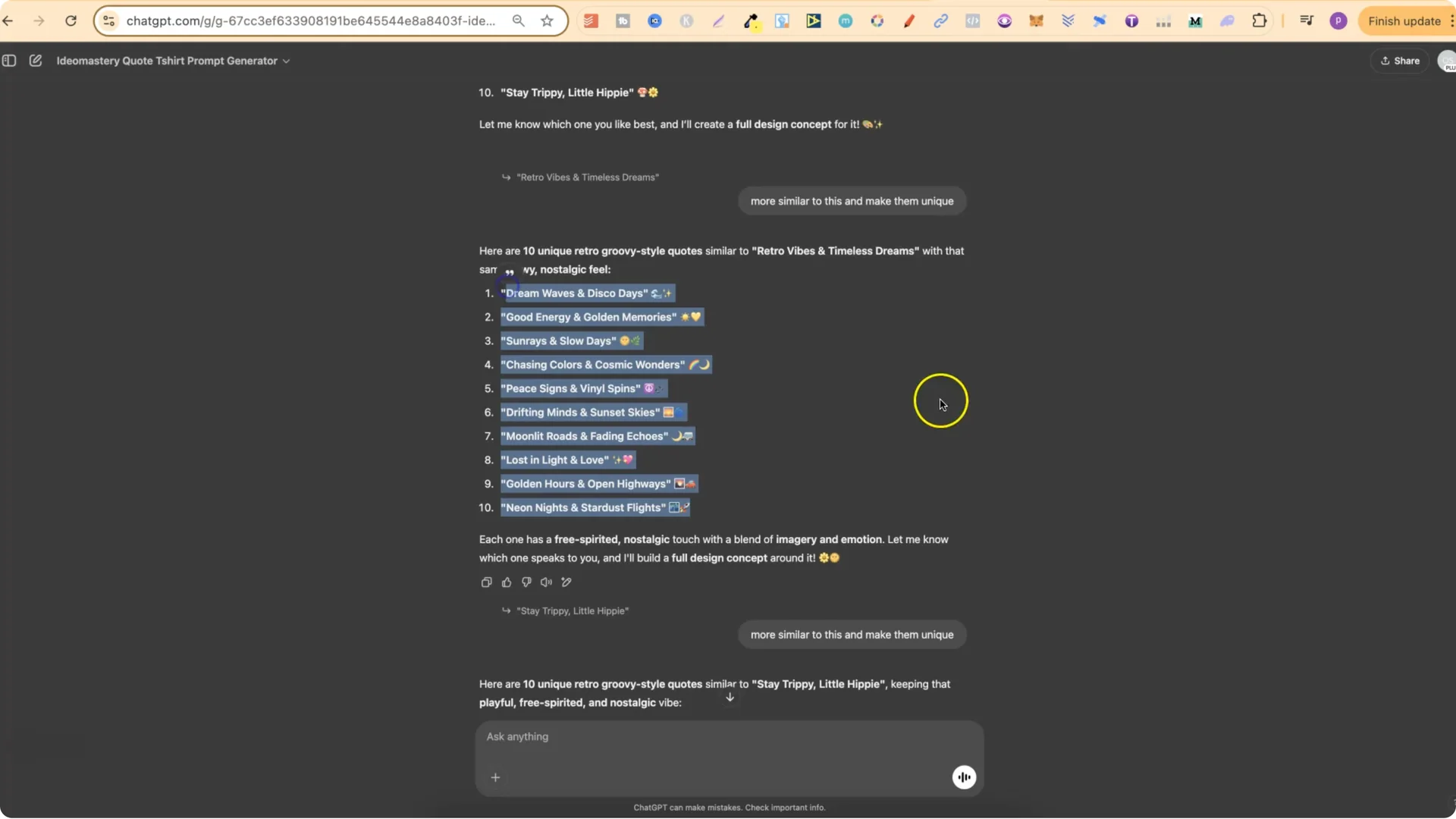
After that I started asking for design concepts in the style we discussed. For Groovy Like Nobody’s Watching it gave me the typography style, illustration ideas, color schemes, background, and the overall mood and audience. I could go back and forth asking for more illustration ideas or change up the style, but I was trying to replicate that style.
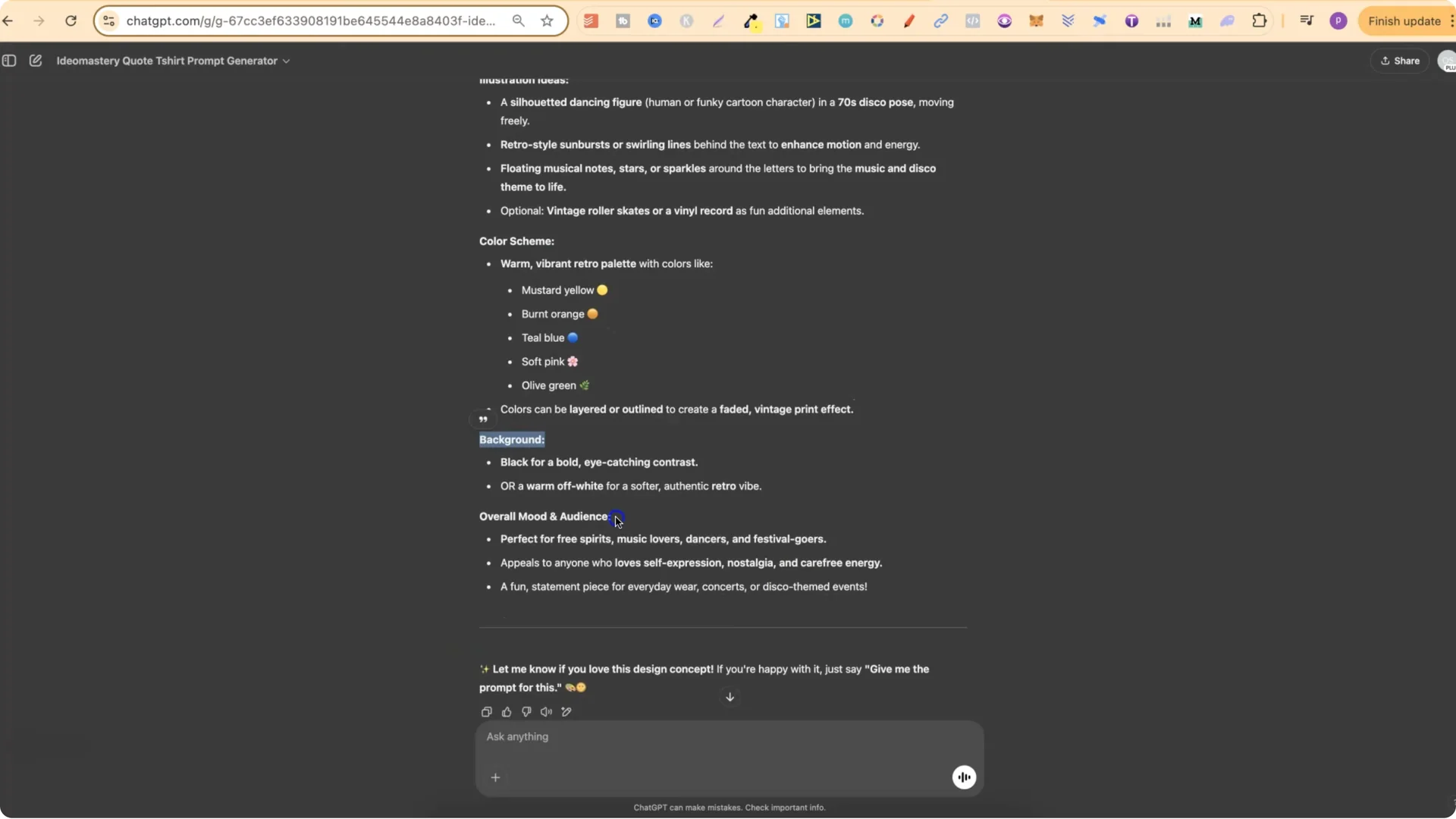
After I had the design concept I asked for a prompt and it gave me a fully formatted prompt around that concept. This saved me a lot of time when creating designs in Ideogram.
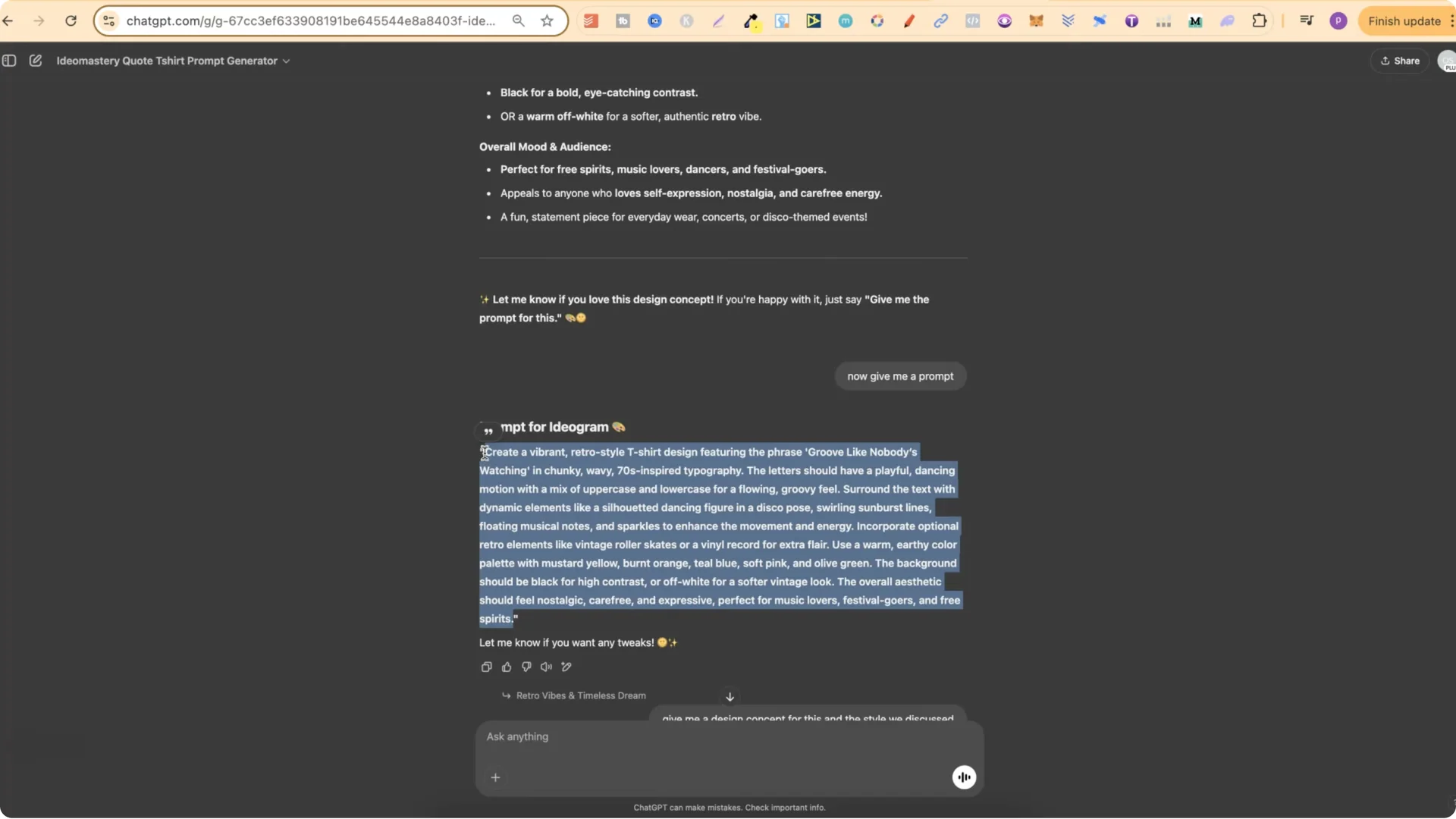
I did that for Retro Vibes and Timeless Dreams, then got the prompt. I did it for Peace, Love, and a Little Bit of Chaos, which turned out to be one of my favorites. I kept going, asking for design concepts and prompts, and changing things up to get different color combinations. These turned out really nice and I wanted to share them.
Step-by-Step Editing Tutorial in Ideogram AI T-Shirt Design
Editing these is simple:
1) Open my public profile and find a design you like.
2) Click the design, then click the little plus icon to add the prompt to your workspace.
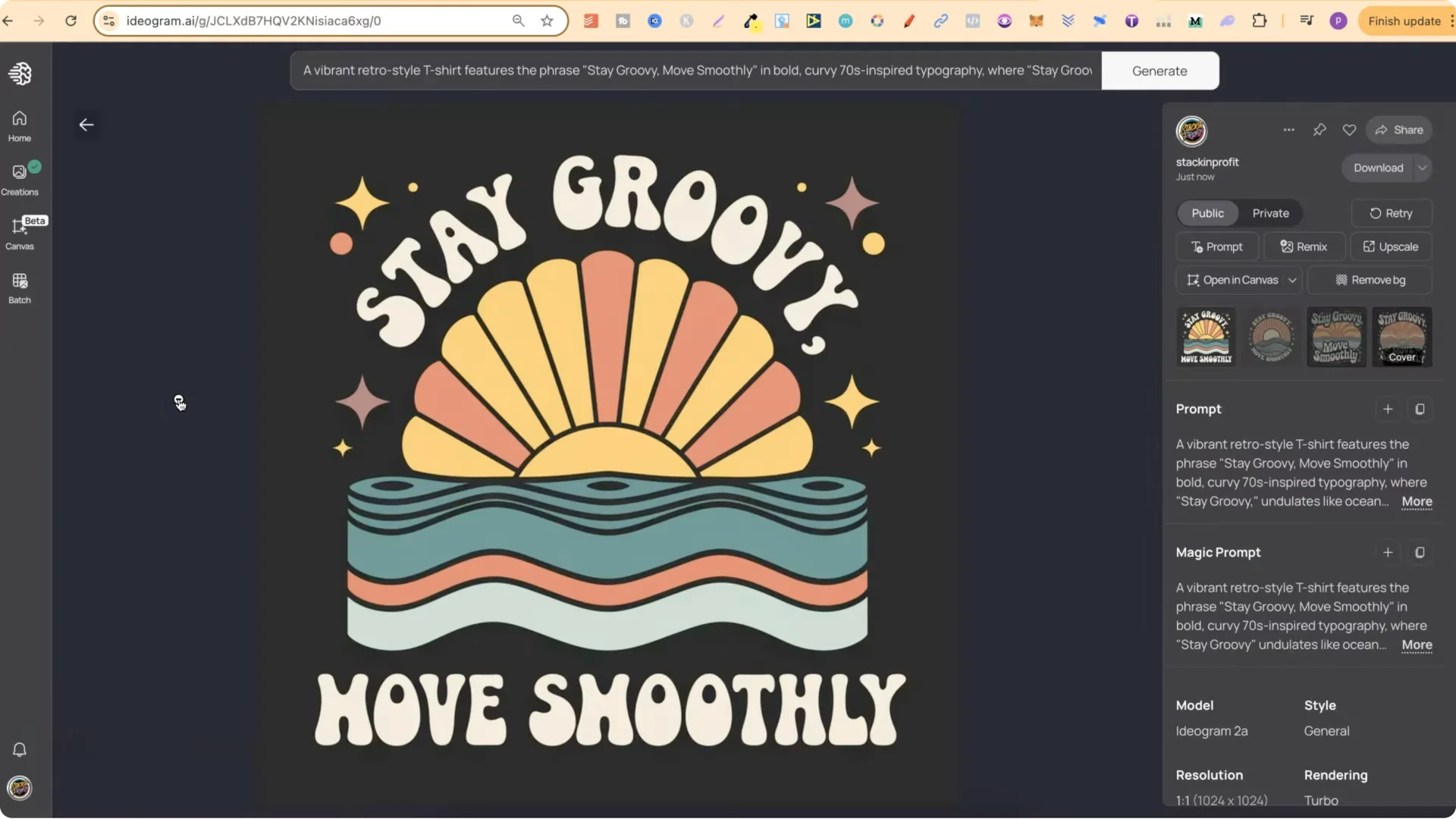
3) Add your own quote. For example, use Stay Groovy, Move Smoothly.
4) Find every part of the prompt that contains the text for the design. In this example, update the words mapped to the text areas:
– Replace the first part of the quote in the first text field.
– Replace the second part of the quote in the next text field.
– Remove any leftover placeholder words.
5) Turn on Magic Prompt. It enhances your prompts and gives you variations.
6) Use Model 2A, which is their latest version.
7) Turn on Rendering Turbo because it uses half a credit.
8) Set visibility if you want it public.
9) Click Generate.
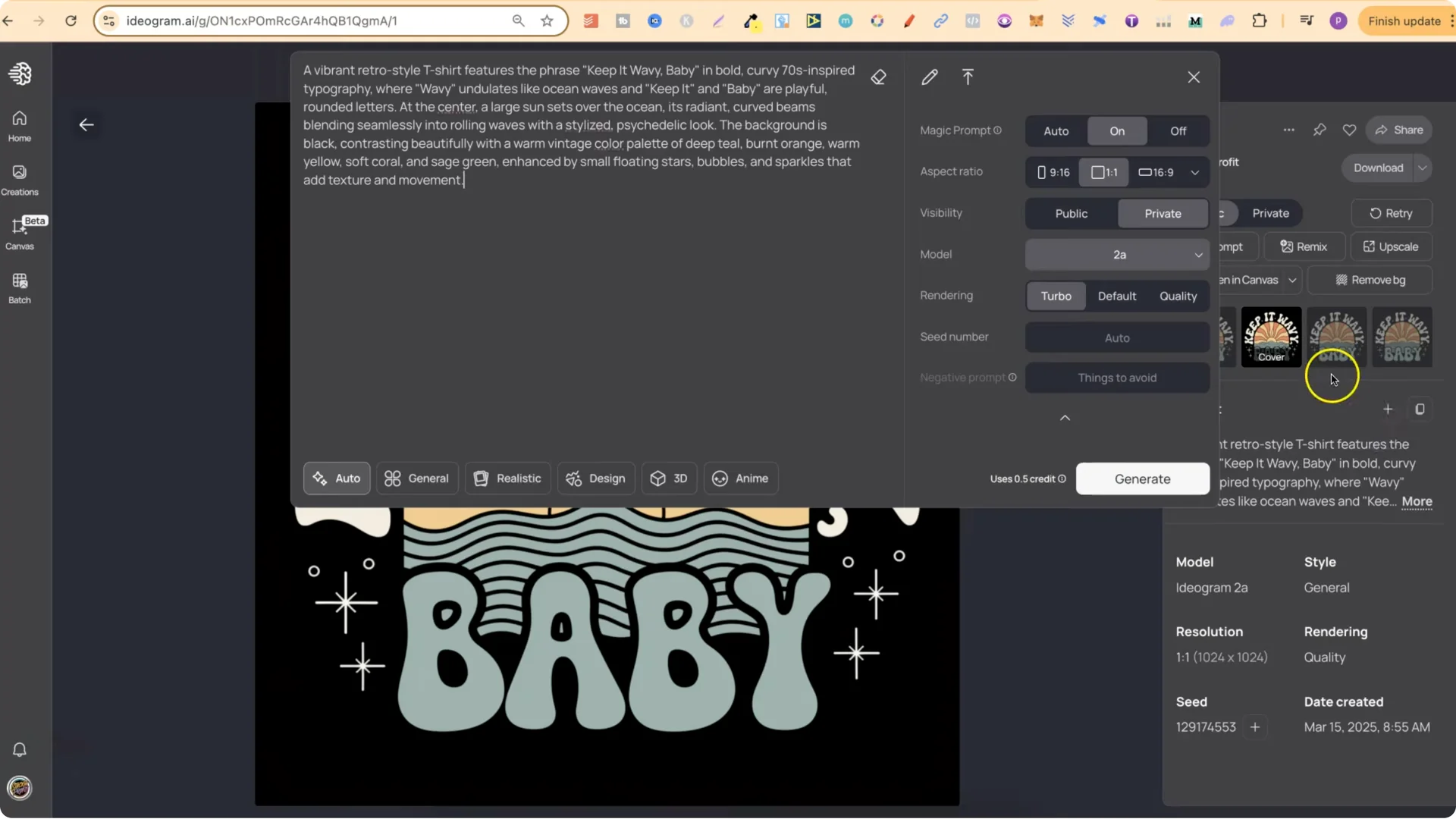
You should get a brand new design based on the one you started with. Some variations might look okay and others even better, but this is a simple way to use the retro groovy style with these prompts to create new designs for yourself.
Changing Colors in Your Ideogram AI T-Shirt Design
You can go into each prompt and find where the colors are defined. For example, a prompt might say:
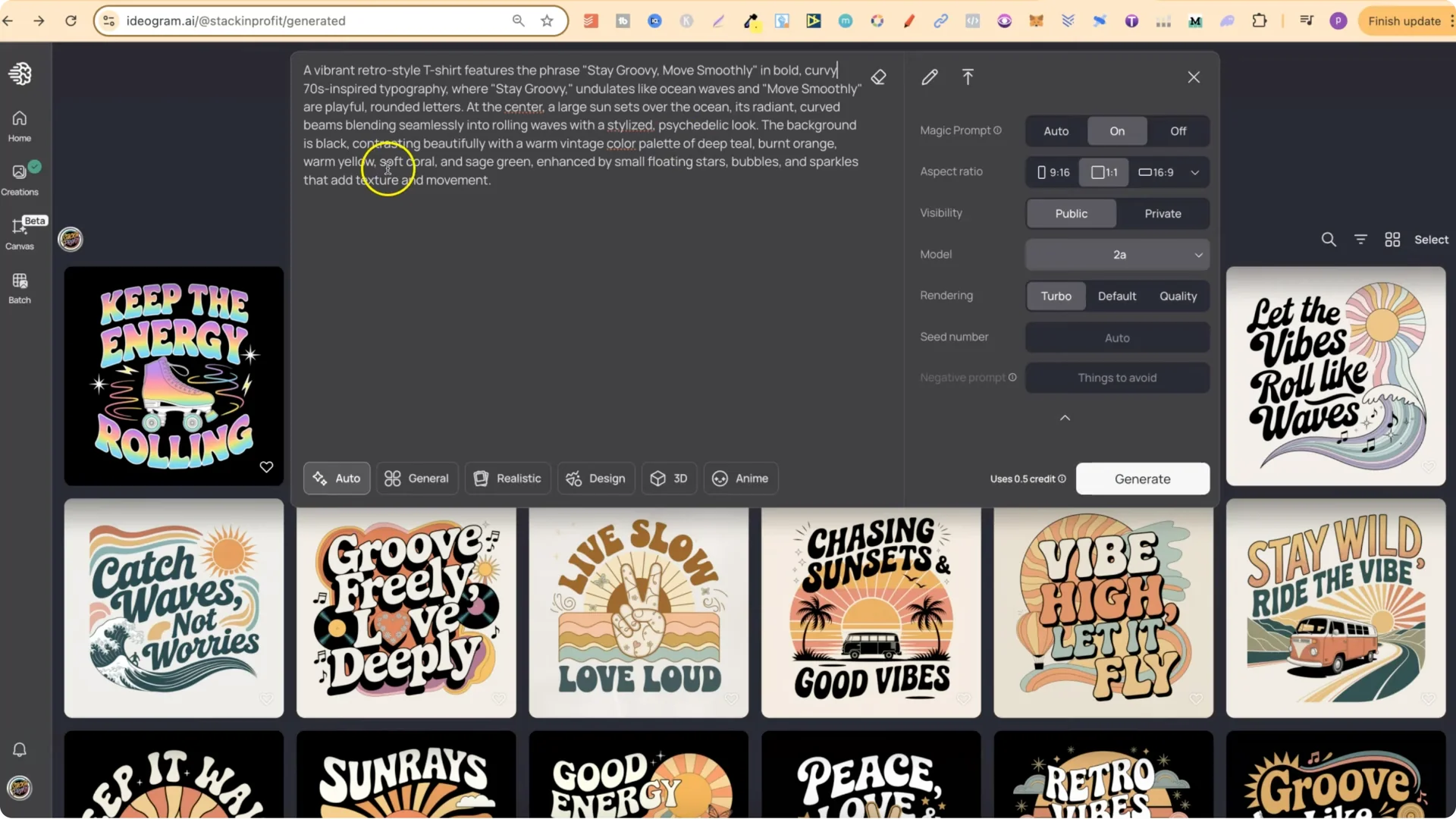
Update those color words to whatever you want. That is an easy way to use these prompts to create new and unique designs for yourself.
Final Thoughts
This approach starts with a strong design concept, gathers unique quotes, turns those into detailed prompts, and then edits text and colors inside Ideogram to quickly produce fresh variations. It is a fast way to generate retro groovy Ideogram AI T-Shirt Designs you can tweak for different messages and palettes.