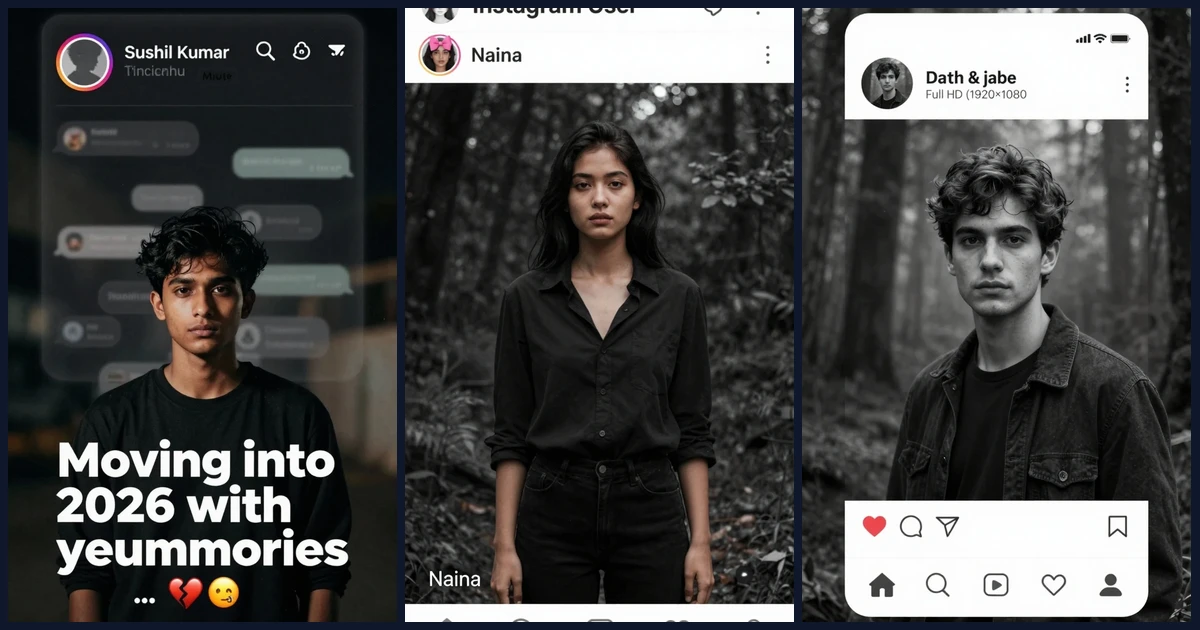
Create viral Instagram username edits with cinematic portraits, moody memory overlays, and premium profile mockups. These prompts are tailored for AI image editors and diffusion models to keep identity intact while adding Instagram interface elements, nostalgic grading, and crisp typography. Perfect for Reels thumbnails, profile posters, heartbreak edits, and aesthetic template recreations.
1. Dark Heartbreak Memories Username Edit
Moody breakup vibe with a large, semi-transparent Instagram profile overlay and cinematic grain.
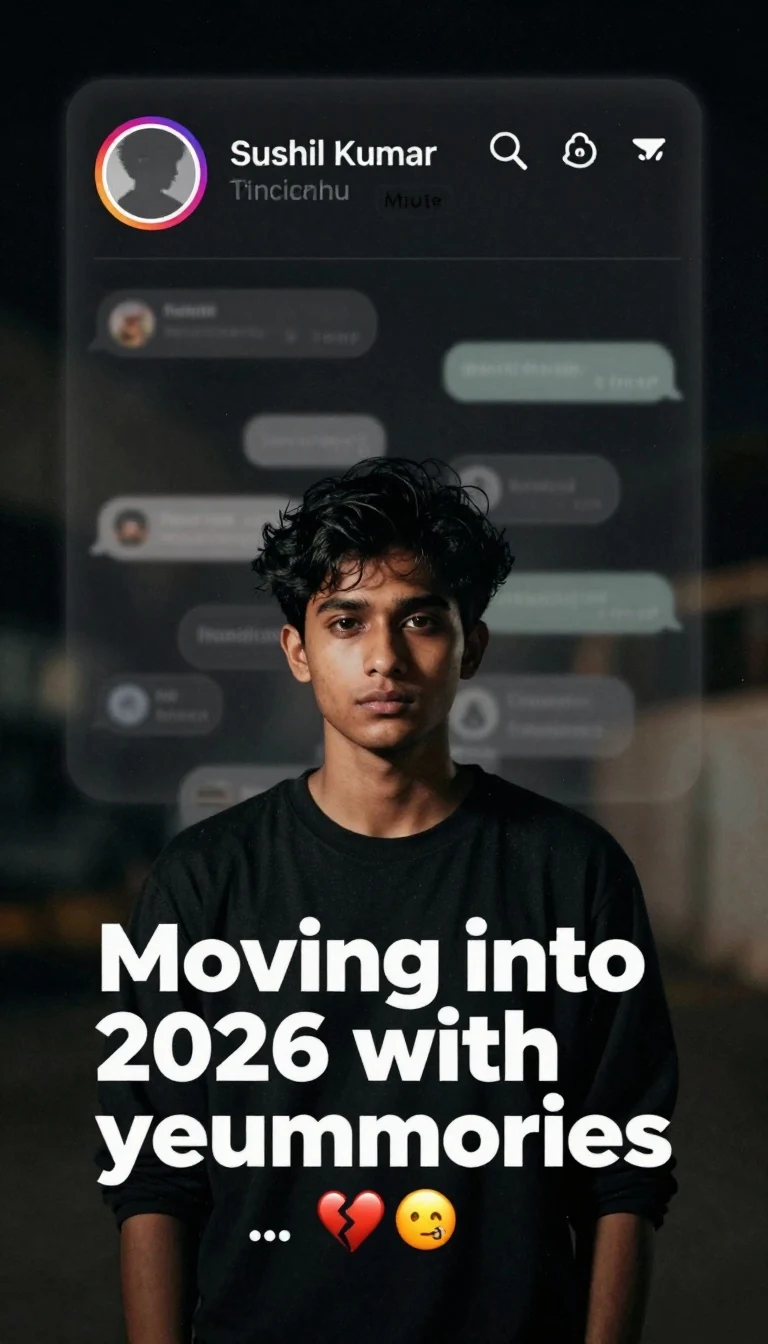
Prompt:
Create a dark, emotional Instagram heartbreak memories edit using the uploaded photo. Keep the person’s face, hairstyle, skin tone, body shape, clothes, and pose 100% unchanged. Do not modify identity. Design: • Background should be dark, faded, and slightly blurred. • Add a large semi-transparent Instagram profile interface behind the subject. • Profile picture should appear removed with a default Instagram avatar. • Username: “Sushil Kumar”. • Add Profile, Search, Mute, and Options icons. • Use a black and grey color theme with a soft vignette. • Add subtle film grain, motion blur, dust particles, and cinematic lighting. • Place the subject at the bottom center with a soft shadow. Text (large bold white font): “Moving into 2026 with your memories”. Below the text add: … Additional effects: • Broken heart emoji • Sad emoji • Faded chat/message overlays in the background. • Instagram aesthetic, nostalgic breakup vibe. • Moody color grading with low saturation. • High contrast, realistic photo edit. • Soft glow around the subject. • Premium viral Instagram reel thumbnail style. • Ultra HD, photorealistic, 4K quality. • No cartoon, no anime, no AI-looking face. • Keep everything natural and cinematic. Generate noise-free output with razor-sharp details, perfect edges, and clean typography. Don't generate bad text or wrong spelling text.
2. Template-Locked B&W Username Edit (Pink Bow, “Instagram User”, “Naina”)
Recreate the exact provided template layout with the pink-bow profile icon and ‘Naina’ text.
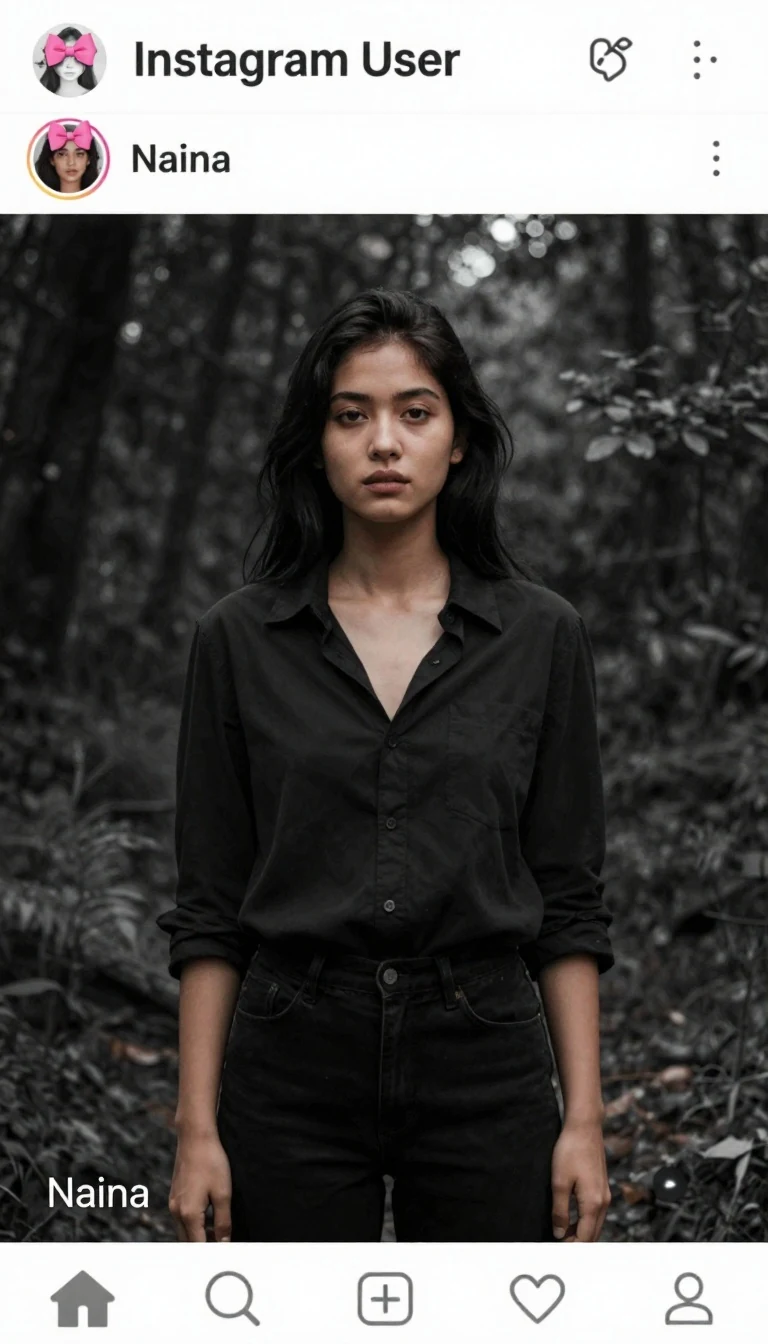
Prompt:
Use the provided template image (image_4.png) as the exact layout for this edit. You must maintain the entire interface overlay, including the top circular profile icon (with the pink bow), the “Instagram User” text, all interface icons, and the “Naina” text in their exact original positions. Do not move, alter, or delete any of these overlay elements. Take the person from the new photo provided and place them as the large central figure, replacing the old figure. The new person must be rendered with the exact same framing (half-body or full-body) as in the input photo. Apply a cinematic Black & White style, but ensure it is balanced and medium-dark—do not make it overly black or crushed. The subject’s face, features, and clothing must be clearly visible with natural skin tones and balanced contrast, maintaining a high-quality cinematic look without being excessively dark. The background should be a dark, cinematic forest scene, but clearly distinguishable from the subject. The final output must be the highest possible resolution, crystal clear, sharp, and in Full HD. Maintain the original integrity of the subject. Avoid halos and avoid over-sharpening. Don't generate bad text or wrong spelling text.
3. Exact Instagram Interface + Cinematic Forest B&W
Match the template’s composition and interface exactly; dramatic foggy forest behind a bright subject.
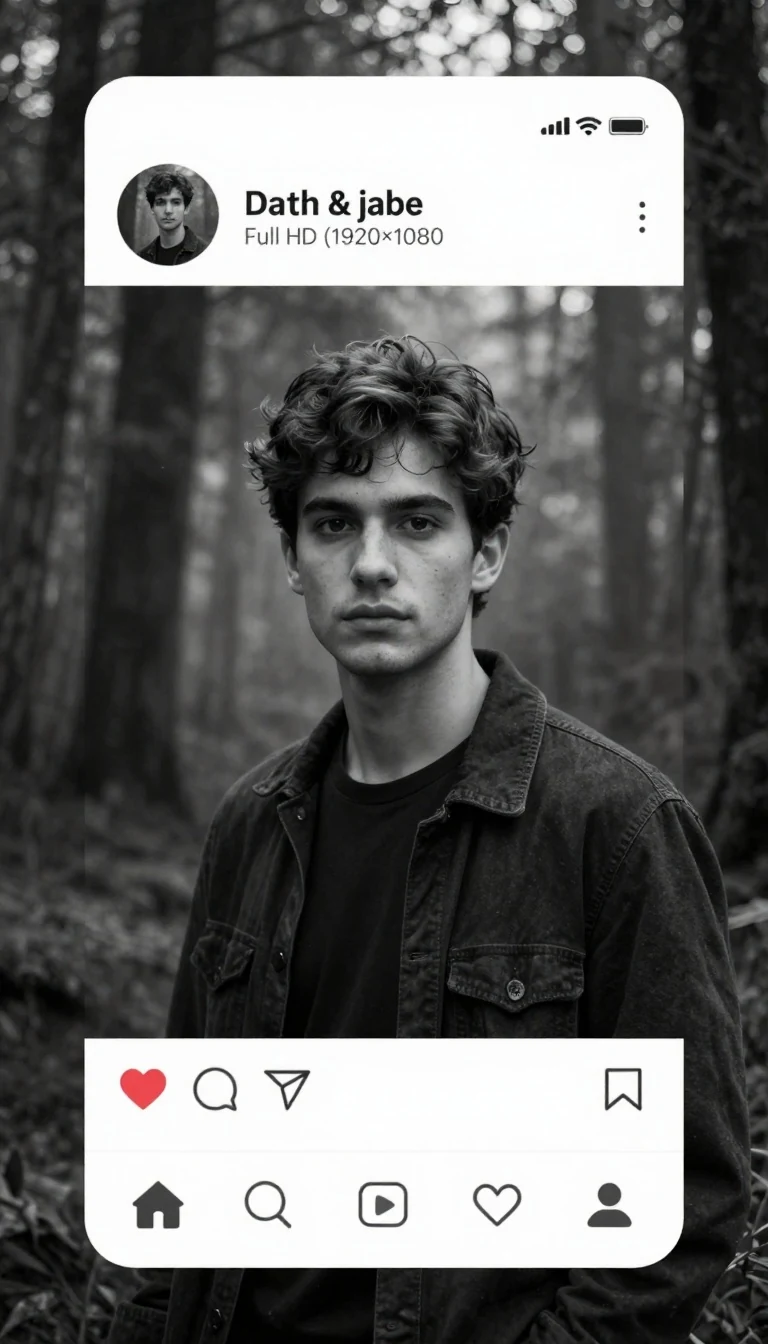
Prompt:
Use the provided Instagram template image as the exact layout reference. Preserve the complete Instagram interface overlay exactly as it appears, including the circular profile picture, username text, all icons, UI elements, story/profile section, and every text element in their original positions. Do not move, resize, edit, blur, remove, or recreate any interface element. Take the person from the uploaded personal photo and replace only the existing main subject with them. Keep the person’s face, hairstyle, clothing, body proportions, and identity completely natural and unchanged. Match the exact framing, pose, camera angle, crop, and composition from the template image. Create a premium cinematic Black & White look with medium contrast. Avoid overly dark shadows or crushed blacks. Maintain realistic skin texture, facial details, eyes, clothing texture, and balanced lighting. The subject should remain brighter than the background for strong separation. Replace the background with a dramatic cinematic forest featuring subtle fog, tall trees, soft atmospheric lighting, and realistic depth of field. The background must enhance the subject without overpowering them. Generate the final image in ultra-realistic style with maximum sharpness, crystal-clear details, Full HD (1920×1080 or higher), 8K quality, professional color grading, DSLR quality, ultra-high resolution, noise-free, and perfectly suitable for Instagram profile or social media posting. Don't generate bad text or wrong spelling text.
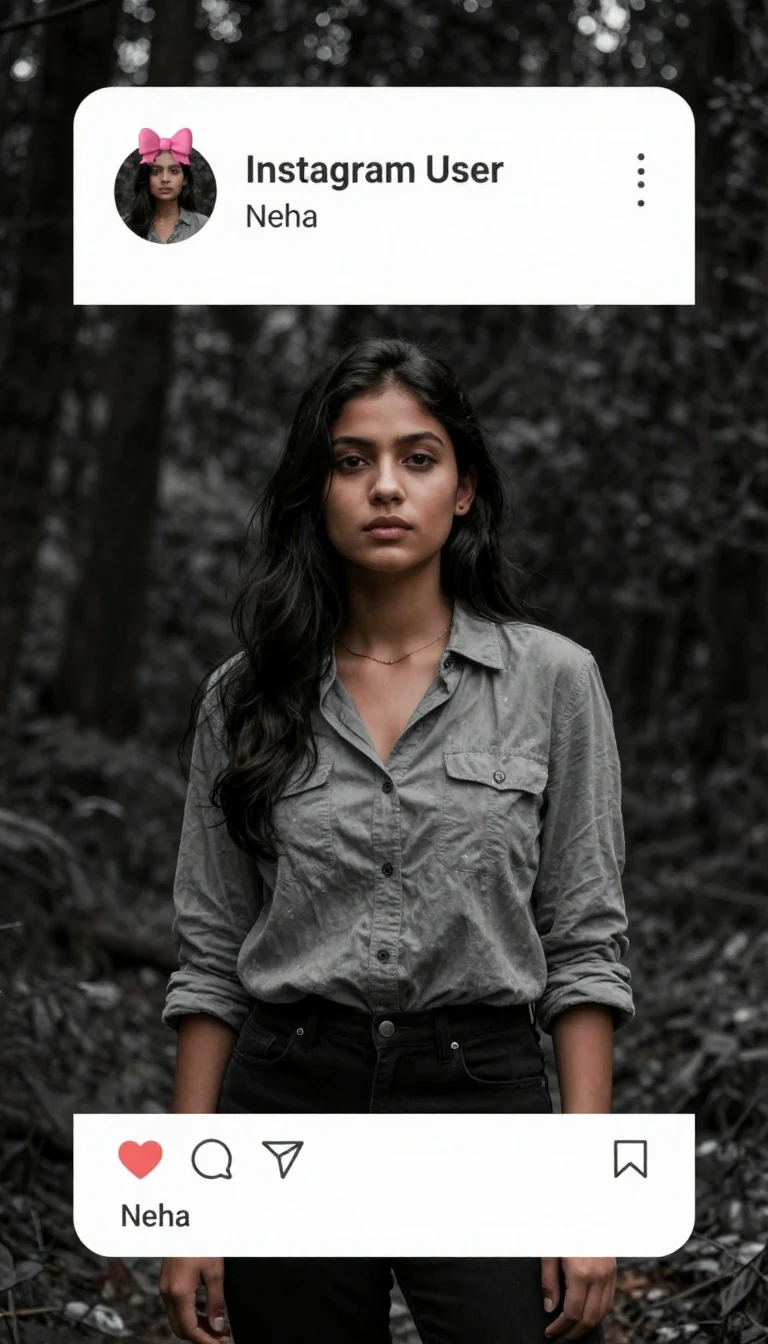
4. Template-Locked B&W Username Edit (Pink Bow, “Neha”)
Strict template match with pink-bow icon and the name ‘Neha’, cinematic forest background.
Prompt:
Use the provided template image as the exact layout for this edit. You must maintain the entire interface overlay, including the top circular profile icon (with the pink bow), the “Instagram User” text, all interface icons, and the “Neha” text in their exact original positions. Do not move, alter, or delete any of these overlay elements. Take the person from the new photo provided and place them as the large central figure, replacing the old figure. The new person must be rendered with the exact same framing (half-body or full-body) as in the input photo. Apply a cinematic Black & White style, balanced and medium-dark—do not make it overly black or crushed. The subject’s face, features, and clothing must be clearly visible with natural skin tones and balanced contrast, maintaining a high-quality cinematic look without being excessively dark. The background should be a dark, cinematic forest scene, but clearly distinguishable from the subject. Output at the highest possible resolution, crystal clear, sharp, Full HD or higher. Maintain the original integrity of the subject. No unnatural smoothing or plastic skin. Don't generate bad text or wrong spelling text.
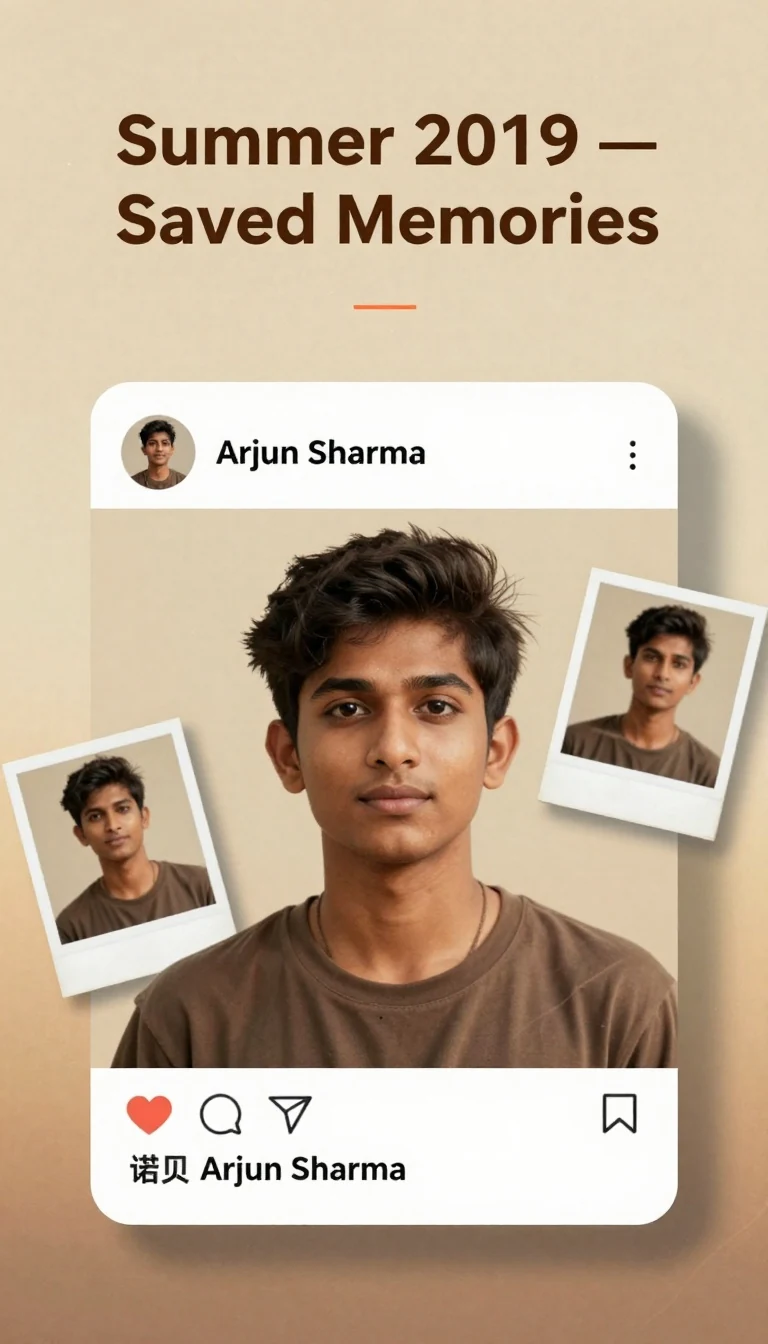
5. Warm Nostalgic Username Memories (Polaroid Collage + Saved Post)
Vintage summer mood with film dust, light leaks, and an Instagram overlay showing a saved post.
Prompt:
Create a warm nostalgic Instagram username memories edit using the uploaded portrait. Keep the person’s face, hairstyle, skin tone, body shape, clothes, and pose 100% unchanged. Do not modify identity. Design: • Background: soft beige to warm amber gradient with subtle paper texture, gentle vignette. • Add a semi-transparent Instagram post interface overlay with accurate icon placement: profile picture (circular), username: “Arjun Sharma”, more options (⋯), image area, like/comment/share/save icons, caption area, and timestamp. • Place two small Polaroid-style frames tilted near the corners featuring lightly blurred duplicates of the main image (do not change identity). • Header sticker text (clean, bold): “Summer 2019 — Saved Memories”. • Add minimal light leaks (orange/red) at the edges, gentle film dust, fine grain, and tiny scratches for a retro mood. • Use tasteful shadow under the subject to anchor them. Color grading: warm sepia-gold with balanced midtones; avoid washed-out highlights; maintain realistic skin texture. Technical: ultra-detailed, premium retouch, 4K output, crisp icons, clean kerning, accurate spacing, no halos, noise-free. No cartoon, no anime. Don't generate bad text or wrong spelling text.
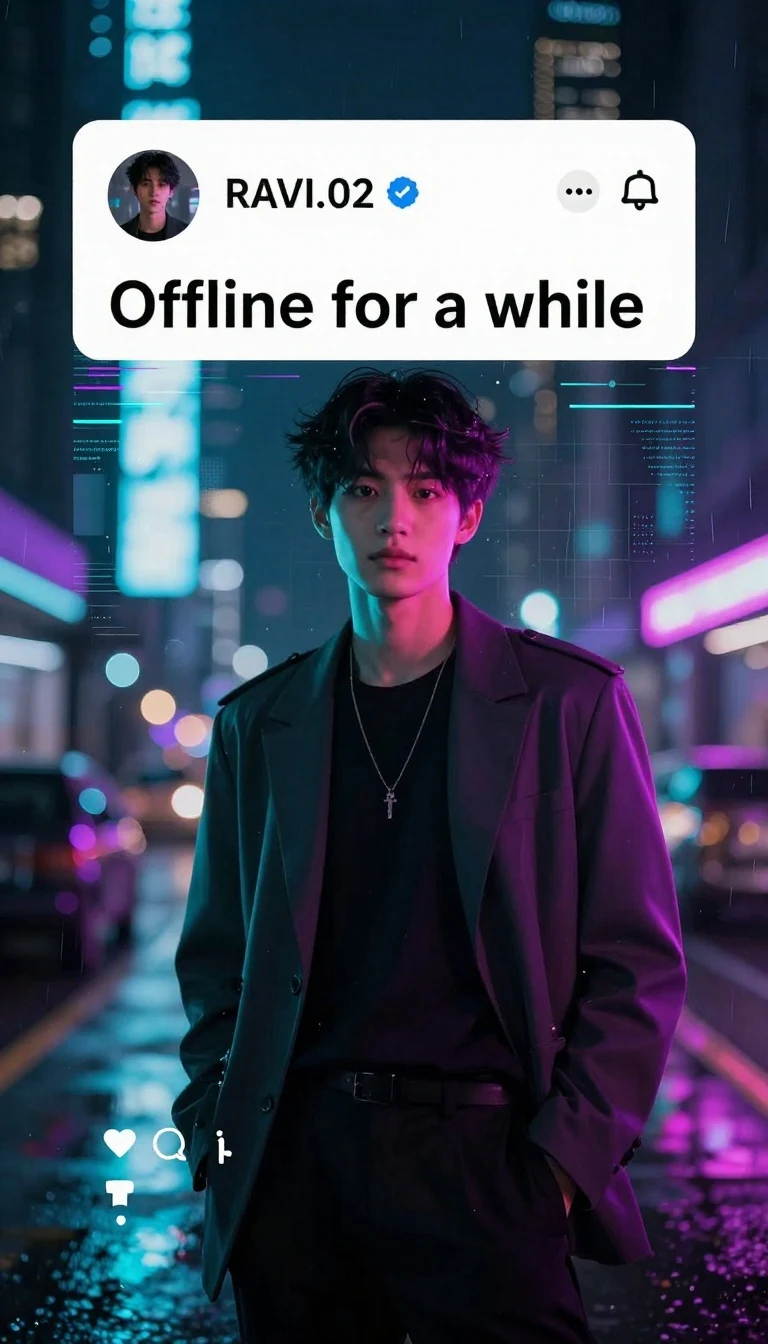
6. Neon Cyber Username Poster (Glitch, Teal–Purple, Offline Status)
Futuristic night edit with neon UI glow, glitch lines, and bold caption.
Prompt:
Generate a neon cyber Instagram username edit with a futuristic city-at-night atmosphere. Keep the person’s face, hairstyle, skin tone, body shape, clothes, and pose 100% unchanged. Do not modify identity. Design: • Background: night city bokeh, teal–purple neon, subtle rain streaks, reflective floor. • Overlay: Instagram profile header mockup with circular avatar, username: “RAVI.02”, verified tick (clean blue), three-dot menu, and notification bell. • Add a large bold caption banner centered: “Offline for a while”. • Include thin scanlines, slight chromatic shift, soft glitch trails around the edges, and a faint HUD grid behind the subject. • Edge lighting: dual-tone rim light (teal on left, magenta on right) for depth; keep facial features natural and sharp. • Place minimal reaction icons (heart, comment) at the lower left with tiny counters. Grading: high contrast with rich blacks, neon glow bloom, controlled highlights. Technical: 8K upscale look, precise iconography, crystal-clear typography, strong separation from background, no motion artifacts. No cartoon, no anime. Don't generate bad text or wrong spelling text.
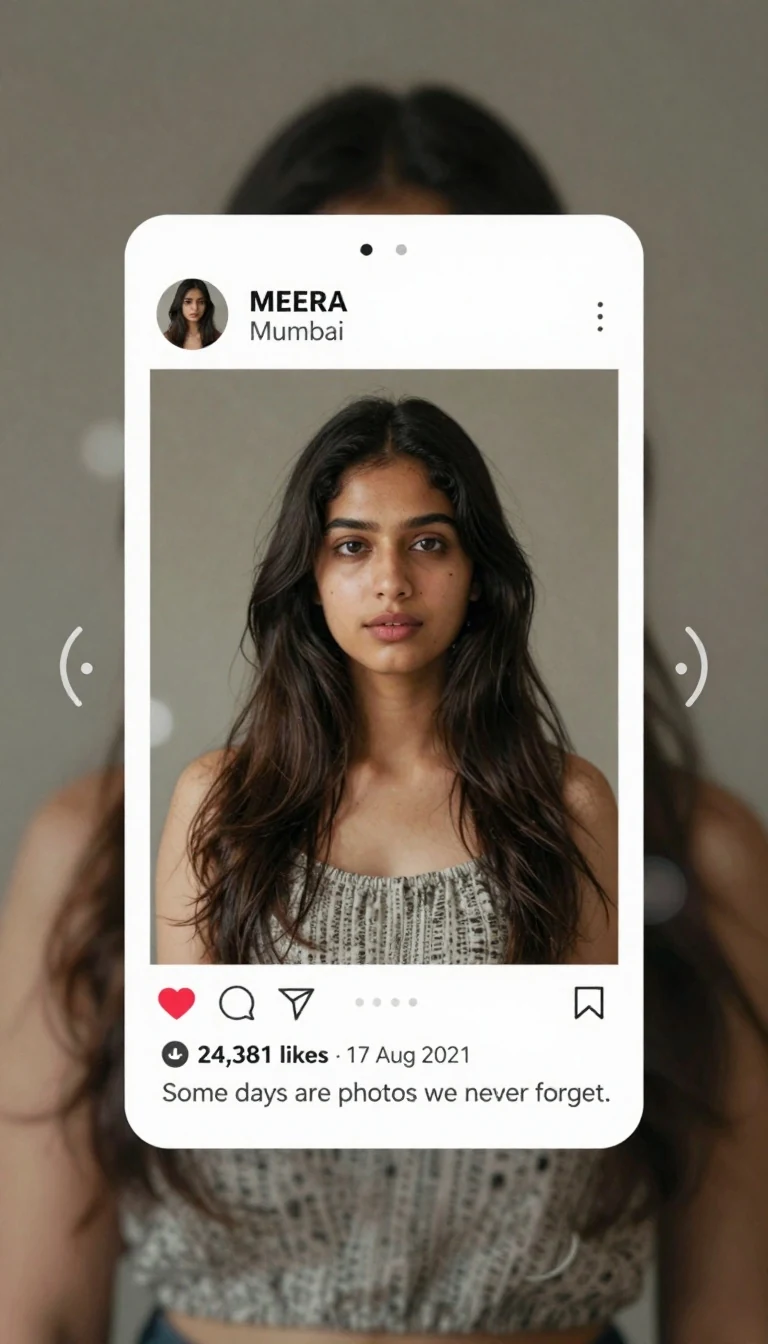
7. Carousel Memories Grid (Location Tag, Date, Likes)
Simulate a carousel post layout with multiple frames, location, and crisp counters.
Prompt:
Create an Instagram carousel-style username edit as a single composite image. Keep the person’s face, hairstyle, skin tone, body shape, clothes, and pose 100% unchanged. Do not modify identity. Layout: • Background: soft charcoal with gentle vignette. • Center a large main frame featuring the subject; add two smaller side frames to imply a multi-slide carousel (use duplicated or alternate crops of the same subject; never alter identity). • Add carousel UI elements: slide dots (●○○), left/right chevrons, and a subtle swipe indicator. • Header: circular avatar, username: “MEERA”, location tag: “Mumbai”, three-dot menu. • Footer icons: like, comment, share, save; like count: “24,381 likes”; date: “17 Aug 2021”. • Caption snippet (clean, one line): “Some days are photos we never forget.” • Maintain perfect spacing, clean alignment, and pixel-accurate icon shapes. Look: cinematic neutral color grade with soft depth of field; realistic skin texture; clean highlights. Output: ultra-detailed, Full HD or higher, razor-sharp text and icons. No cartoon, no anime. Don't generate bad text or wrong spelling text.
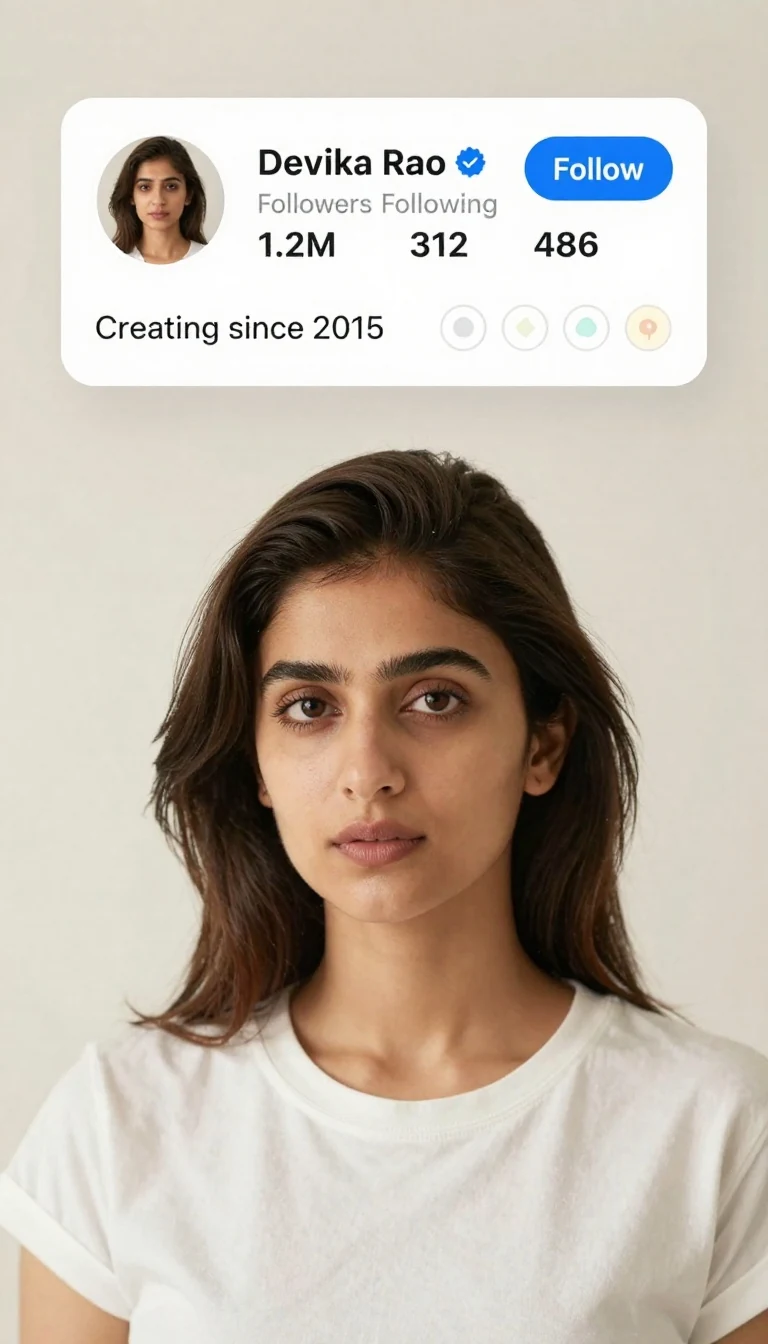
8. Verified Creator Profile Header Poster (Clean White Aesthetic)
Crisp studio portrait with a minimal white UI header and verified badge.
Prompt:
Design a clean, minimal Instagram profile header poster with a studio portrait. Keep the person’s face, hairstyle, skin tone, body shape, clothes, and pose 100% unchanged. Do not modify identity. Style: • Background: soft off-white with very light gradient and faint shadow. • Overlay at top: profile header strip with circular avatar, username: “Devika Rao”, blue verified badge, follower count: “1.2M”, following: “312”, posts: “486”, and a blue “Follow” button. • Add a short bio line beneath (single sentence): “Creating since 2015”. • Include story highlight rings (4–5), thin outline, subtle pastel icons. • Keep all text sharp and perfectly spaced; use balanced typographic hierarchy. Lighting: soft key light with gentle fill, 85mm portrait look, clean catchlights, natural skin texture. Technical: ultra-high resolution, smooth gradients without banding, crisp vectors for icons, professional color balance. No cartoon, no anime, no extra watermarks. Don't generate bad text or wrong spelling text.
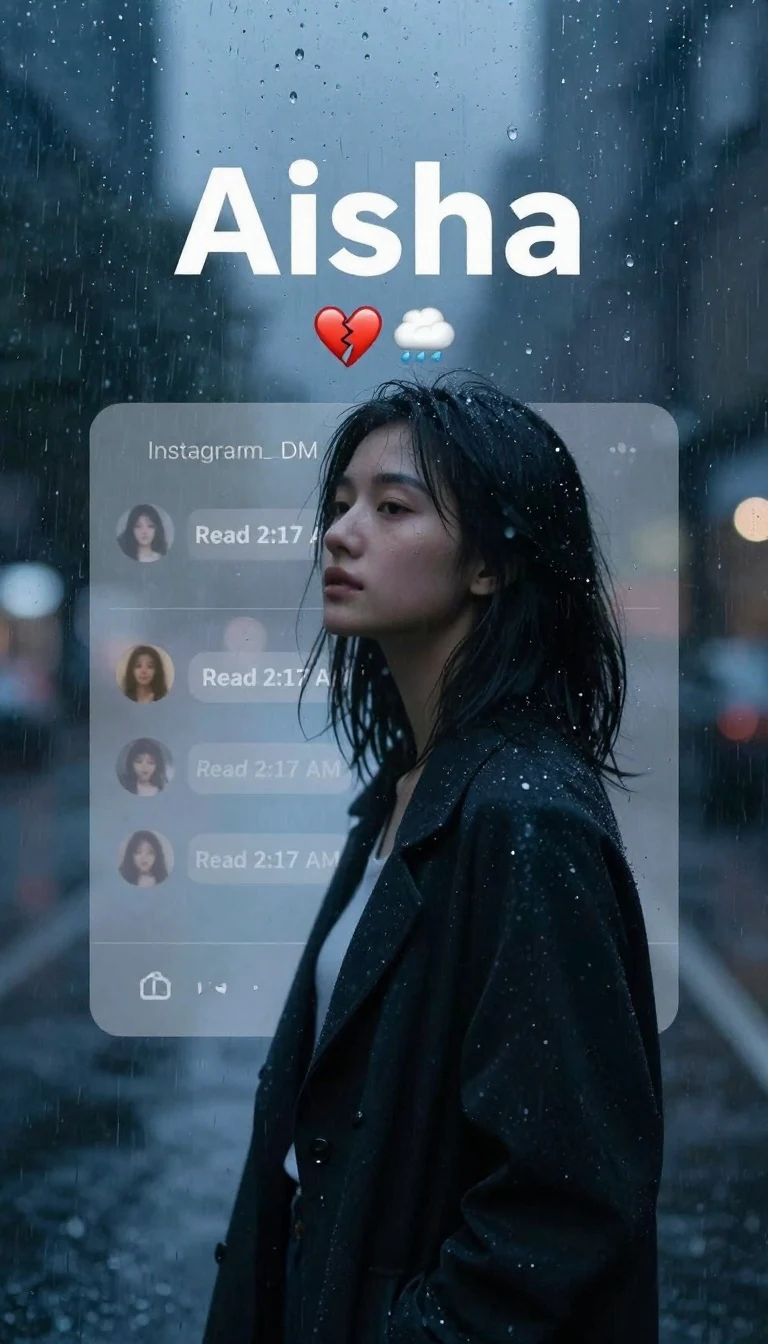
9. Rainy Night Chat Memory (Read Receipts + Default Avatar)
Blue-tinted monochrome mood with message bubbles and a default avatar to suggest distance.
Prompt:
Create a moody rainy-night Instagram username memories poster centered on quiet messages. Keep the person’s face, hairstyle, skin tone, body shape, clothes, and pose 100% unchanged. Do not modify identity. Design: • Background: rainy glass with water droplets, soft city lights bokeh, monotone blue tint. • Add a semi-transparent Instagram DM/chat overlay behind the subject: default avatar (no photo), faint chat bubbles with clean legible text, timestamp: “Read 2:17 AM”. • Username in header: “Aisha”. • Add small emojis: broken heart, cloud with rain. • Keep the typography large enough to be easy to read, with perfect kerning and alignment. • Gentle film grain, soft glow around the subject, subtle depth of field. Color: cool monochrome-blue with controlled highlights; high micro-contrast on facial details. Technical: Full HD or higher, crystal-clear UI, no artifacts, no heavy blur. No cartoon, no anime. Don't generate bad text or wrong spelling text.
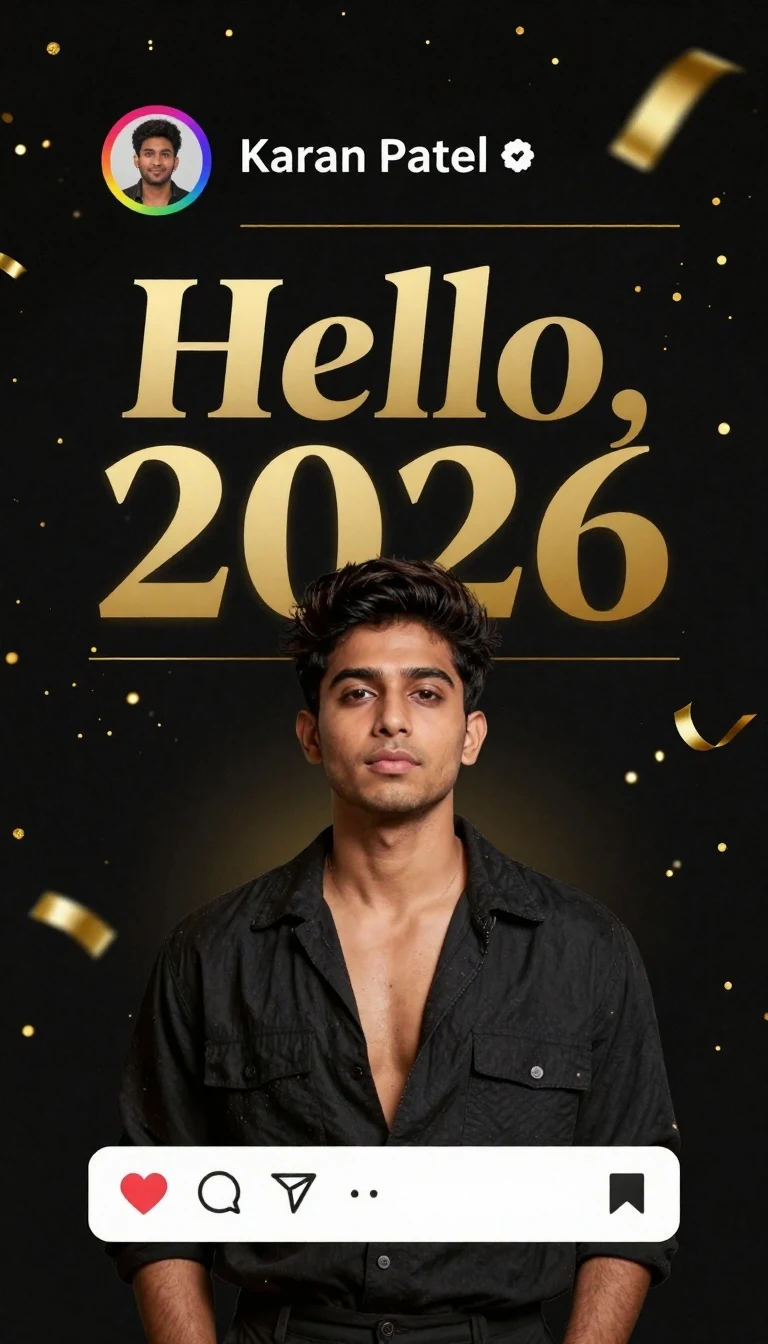
10. New Year 2026 Profile Celebration (Gold on Black)
Festive username poster with confetti, story ring glow, and bold headline.
Prompt:
Build a festive Instagram username celebration poster for the New Year. Keep the person’s face, hairstyle, skin tone, body shape, clothes, and pose 100% unchanged. Do not modify identity. Design: • Background: deep black with soft gold particles and tasteful confetti arcs. • Overlay: profile header with circular avatar, rainbow story ring glow, username: “Karan Patel”, and a subtle verified tick. • Big headline in the center: “Hello, 2026”. • Add small Instagram reaction icons along the bottom (heart, comment, share, save) with neat counters. • Use elegant gold typography for headline and thin gold dividers; maintain perfect spacing and sharp edges. Lighting: cinematic with soft rim light and gentle bloom on gold particles; maintain natural skin tone. Technical: ultra-detailed, 4K resolution, crisp icons, noise-free, clean gradients, no posterization. No cartoon, no anime. Don't generate bad text or wrong spelling text.
These prompts keep identities intact while adding stylish Instagram UI overlays, cinematic grading, and precise typography for viral-ready profile and memories edits. Mix and match moods, tweak color grades, and swap backgrounds or template elements to match your brand. Save your favorites for quick production and keep experimenting with names, symbols, and layouts to craft scroll-stopping Instagram visuals.